
Approve or reject a parked action
Approvals is the queue of parked actions: when a workspace switches an approval gate on, the action stops dead until someone holding the decide permission releases it. Requesting and deciding are two recorded acts - and since the single-approver decision, the decider may be the same person who raised it; the audit trail stamps both either way.
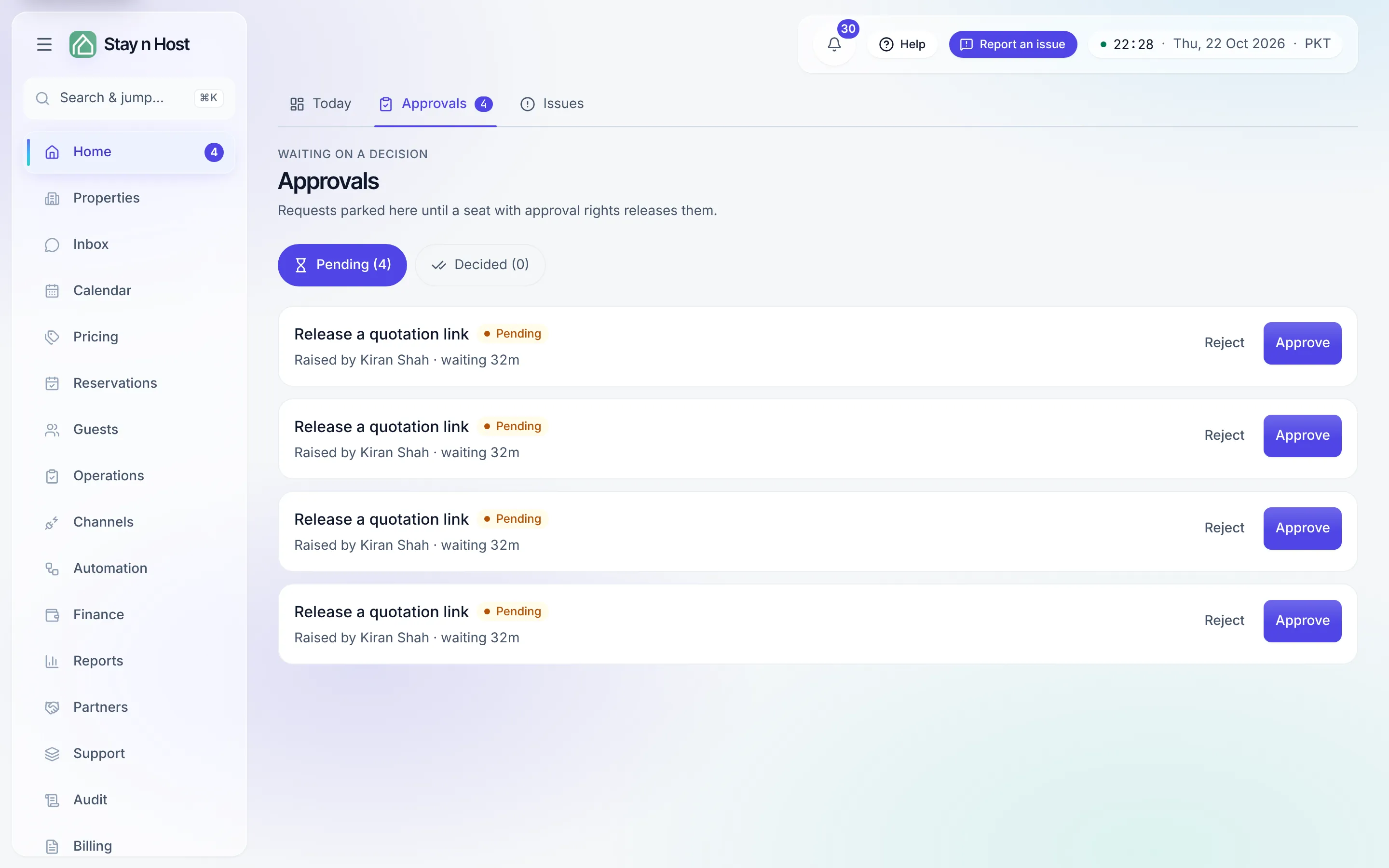
Decide an item
Section titled “Decide an item”-
Open Home → Approvals (the badge on the Home row counts what is pending). The Pending tab lists everything waiting, oldest first; each row names what it is (today’s one kind is “Release a quotation link”), who raised it (“Raised by …”), how long it has waited, and any note they left.
-
Open the underlying record if you need context - for a quotation link, that is the inquiry and its quote.
-
Press Approve or Reject. A confirm dialog spells out the consequence: approving releases the request immediately; rejecting refuses it and the person who raised it has to start again. Either way the decision is recorded against your name.
-
Optionally add a reason in “Why (optional, kept in the audit trail)” - future you, and the person who raised it, will thank you.
-
Decided items move to the Decided tab, which keeps the history of who approved or rejected what.
Why the button is sometimes disabled
Section titled “Why the button is sometimes disabled”Two different reasons, worded differently on purpose:
- “Your seat cannot decide this right now.” Your role holds the decide permission, but this seat cannot act on this particular row - waiting for a colleague resolves it.
- “Your role can see this queue but not decide on it.” Your seat holds the view permission but not the decide permission, and no amount of waiting changes that.
Neither of them is “you raised this”. Since the single-approver decision the requester may release their own task, so raising an item never takes the buttons away.
Turning the gate on
Section titled “Turning the gate on”The switch lives on Setup → Settings → Approvals: the Quotation links toggle. On means “a shared quotation link stays dead until someone holding the decide permission approves it - the guest sees nothing before then.” Off means links go live the moment they are created.