
Manage payees
The Payee directory answers three questions at a glance: who gets paid, how, and for which units. It is where the bank details of the people you pay are kept and edited; the one other place they show is the Pays out to box on Owner Payouts, read-only, with an Edit on Payees link back here. Open it from Finance -> Payees.
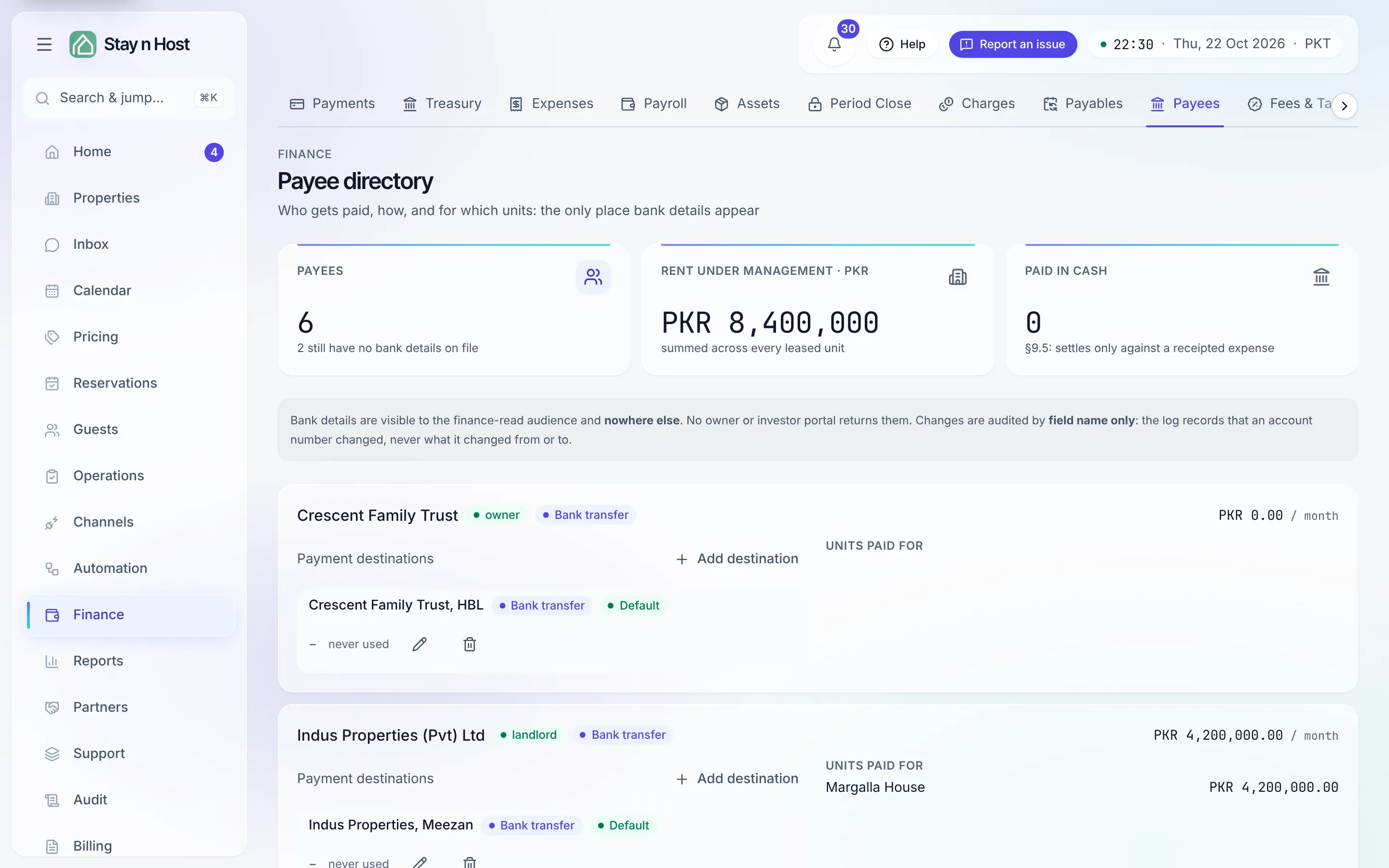
Who appears here
Section titled “Who appears here”Every owner, landlord, and investor on the books shows up automatically - you add the people themselves on Owners & investors, and they appear here with any units they’re paid rent for and the monthly total across them. The KPI band flags how many payees still have no bank details on file.
Record where the money goes
Section titled “Record where the money goes”-
Open the payee’s card and click “Add destination” - a payee can be paid by more than one route: bank transfer, Raast, or cash via staff.
-
Enter the details carefully. An IBAN is grouped as you type, length-capped, and checksum-validated before it saves - this is the account money is paid out to, so a typo is expensive.
-
Set the default. A payee’s first destination is its default; use Make default to promote a later, better one. The default’s route shows as a pill on the card - it’s the route a payout actually takes.
Account numbers display masked - the last four digits are what a human verifies on a shared screen. Revealing a full number is per-row, deliberate, and never persisted.
What’s next
Section titled “What’s next”- Work the payables calendar - where these payees get paid on schedule
- Owner distributions live elsewhere