
Connect WhatsApp
Once WhatsApp is connected, a guest’s first “hi” automatically opens an inquiry with the chat attached, your team replies from the shared Inbox (no personal phones), and automations like booking confirmations and door codes go out on your number.
What you need
Section titled “What you need”A WhatsApp Business Platform number from Meta - not the WhatsApp Business app on a phone. From Meta’s dashboard you’ll collect four values:
- Phone number ID
- Display number
- WhatsApp Business Account ID
- Access token
Connect
Section titled “Connect”-
Open Channels → WhatsApp (
/whatsapp). The status card shows Not connected. (An old link to the WhatsApp tab of Settings lands here too.)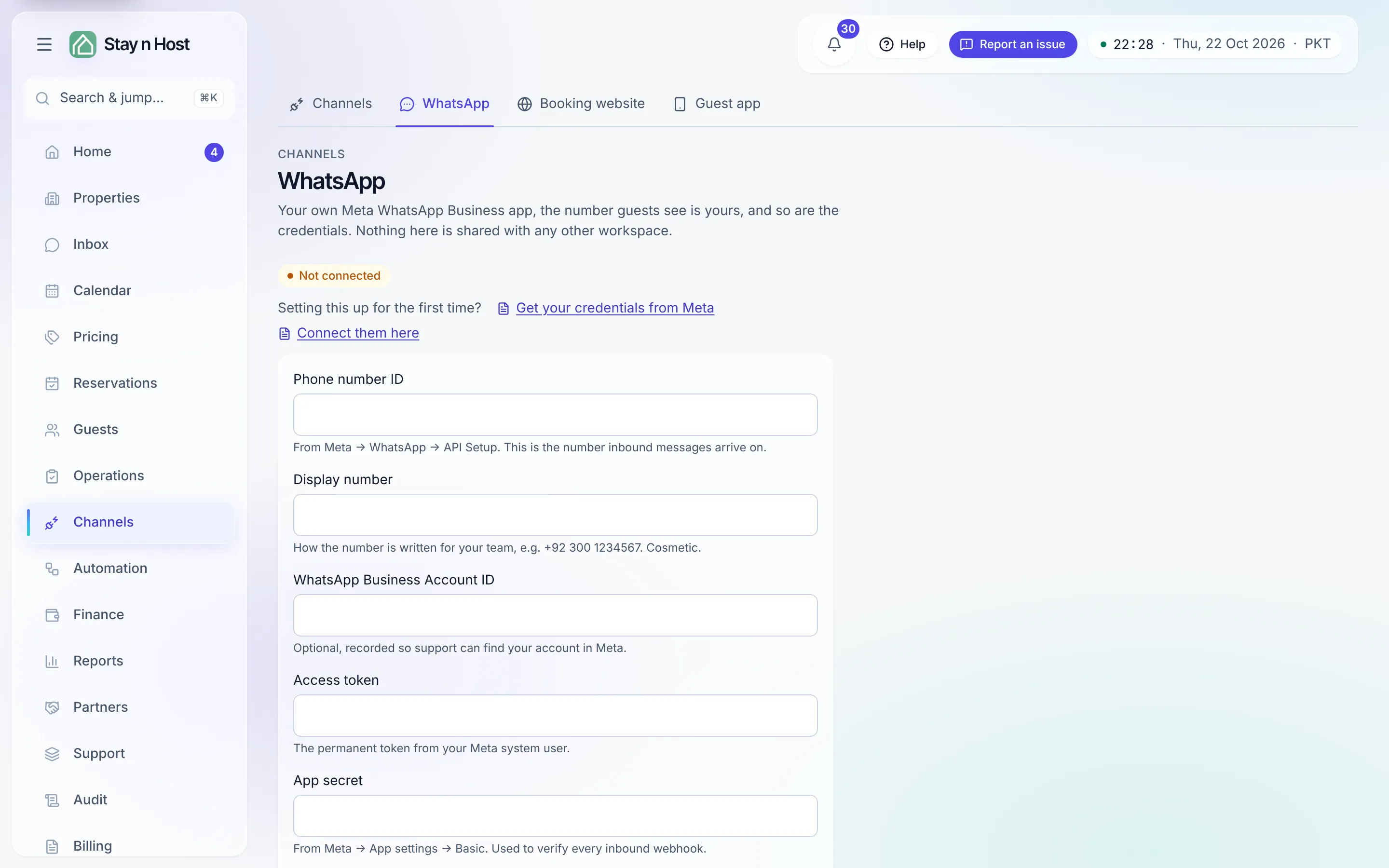
-
Paste the four values from Meta and save. The status flips to Connected with your display number shown.
-
Send a test. Message your business number from a personal phone - within moments a new conversation appears in Inbox, and a new inquiry opens for the unknown number.
What changes once connected
Section titled “What changes once connected”- Inbox (
/inbox) becomes your team’s shared phone: every conversation, with notes and @mentions your guests never see. - Message templates (
/message-templates) give the composer your saved phrases. - Automations can message guests on this number too: booking confirmations, the pre-check-in door code, thank-you notes and your own guest automations - see Send guest messages on WhatsApp.
What’s next
Section titled “What’s next”WhatsApp brings direct guests; Connect Airbnb brings the channel ones - same inbox, same bookings.