
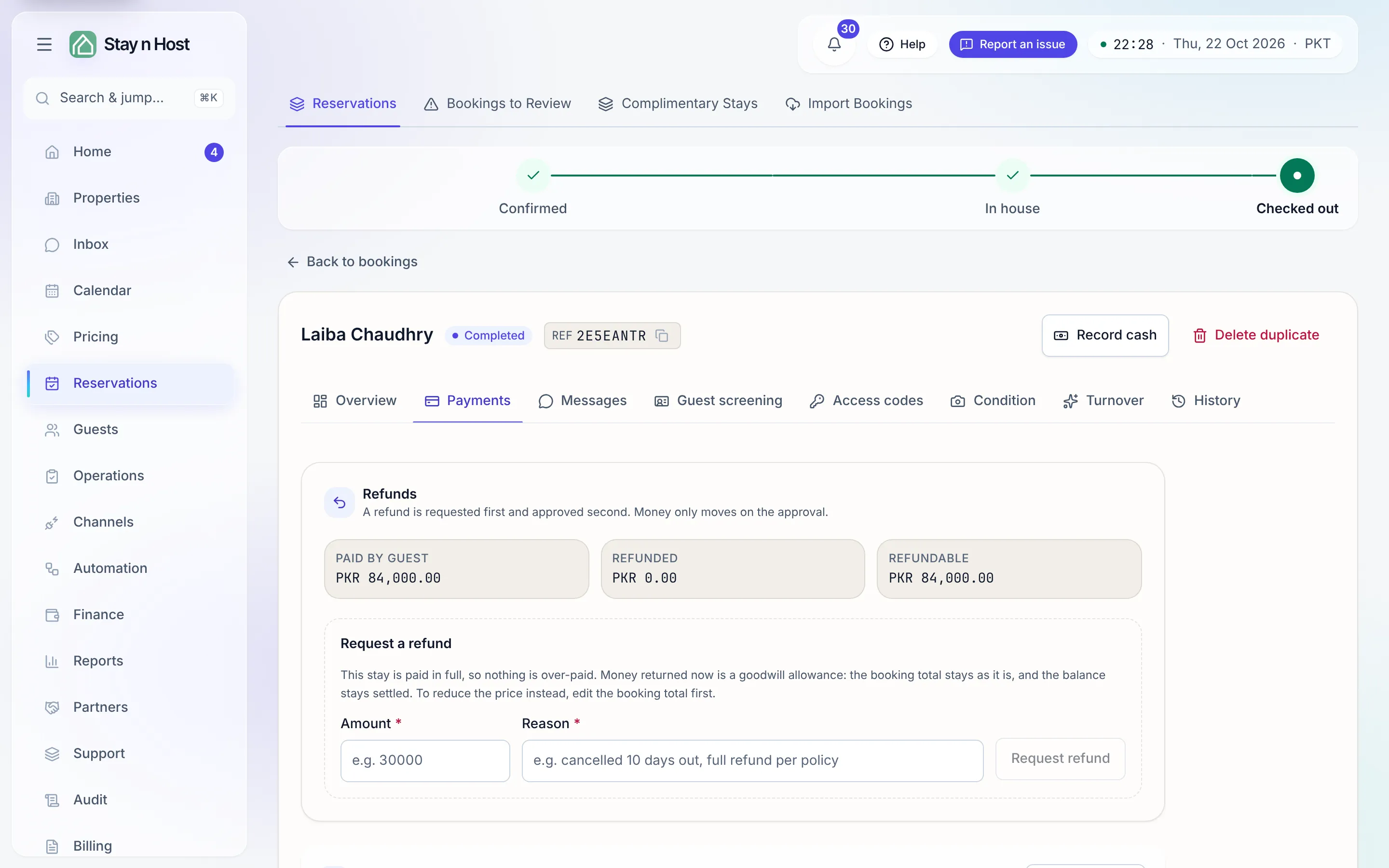
Read a booking's Payments tab
Every booking carries its own money view: the headline figures in the Money card on the Overview tab, and everything behind them on the Payments tab.
The Money card on Overview
Section titled “The Money card on Overview”- Total - the agreed price for the whole stay.
- Paid so far - verified money only. A proof nobody has checked doesn’t count.
- Balance - what’s left to collect. Money paid back in a cancellation or early check-out settlement is not counted as owed.
Once something more has happened, the card adds rows for it: Refunded, Goodwill allowance and Net received (what the stay actually took after refunds), and Extras collected.
If the seat holds the money-recording capability, a Record cash button sits in the header for cash handed over at the desk - see Reconcile the cash report.
The Payments tab, top to bottom
Section titled “The Payments tab, top to bottom”- Refunds - the panel where money is requested back and paid, shown when the booking has verified cash that can go back. See Refund a guest.
- Payment history - every charge, payment and return on the stay, each row dated with each step it went through, with the Charged, Paid, Returned and Balance due totals at the top and the stay’s Invoices below. For a seat that can open the Payments board, a payment row opens that payment’s own page. See Use the payment history, invoices and upsells. On a group booking there is one payment history per apartment, headed by its unit code.
- Payment screenshots - the evidence for each payment, and the Refunds list with the transfer proof for each refund (below).
Payment screenshots
Section titled “Payment screenshots”Each payment on the stay is a card: method, amount, status, sender, reference, and when it was recorded. Under each payment sit its evidence slots:
| Slot | What it holds |
|---|---|
| Guest’s proof | The transfer screenshot or PDF the guest sent (or uploaded via their quote link). |
| Your receipt | Your own confirmation that the money landed. |
| Refund proof | Evidence of money sent back against this payment. |
| Extension proof | The top-up collected when a stay was extended. |
Below the payments, the Refunds list shows money returned to the guest: each refund’s amount, status, reason and dates, and its Transfer proof. A paid refund with no proof yet offers Add proof, so the screenshot you take after the bank transfer is attached to the refund it belongs to.
Anyone who can see the booking can view the evidence; adding a file needs the payment-attachment capability. Images, PDFs and short clips are supported, up to 15 MB each. Every thumbnail opens a viewer with download.
How you land here
Section titled “How you land here”- A row on the Payments board opens the payment’s own page, which links back to its booking’s Payments tab.
- A transaction row in Finance -> Treasury deep-links here too.
- Notifications open the record at the right spot:
/reservations/<booking>/payments,/reservations/<booking>/refundsfor the Refunds panel, and/reservations/<booking>/foliofor the payment history.