
The Settings tabs
Everything configurable about the workspace itself lives on one page, in four tabs: General · Operations · Payment channels · Approvals. What is not here - fees, bank accounts, per-property policies, WhatsApp - is deliberately elsewhere; the settings map has the complete list.
General
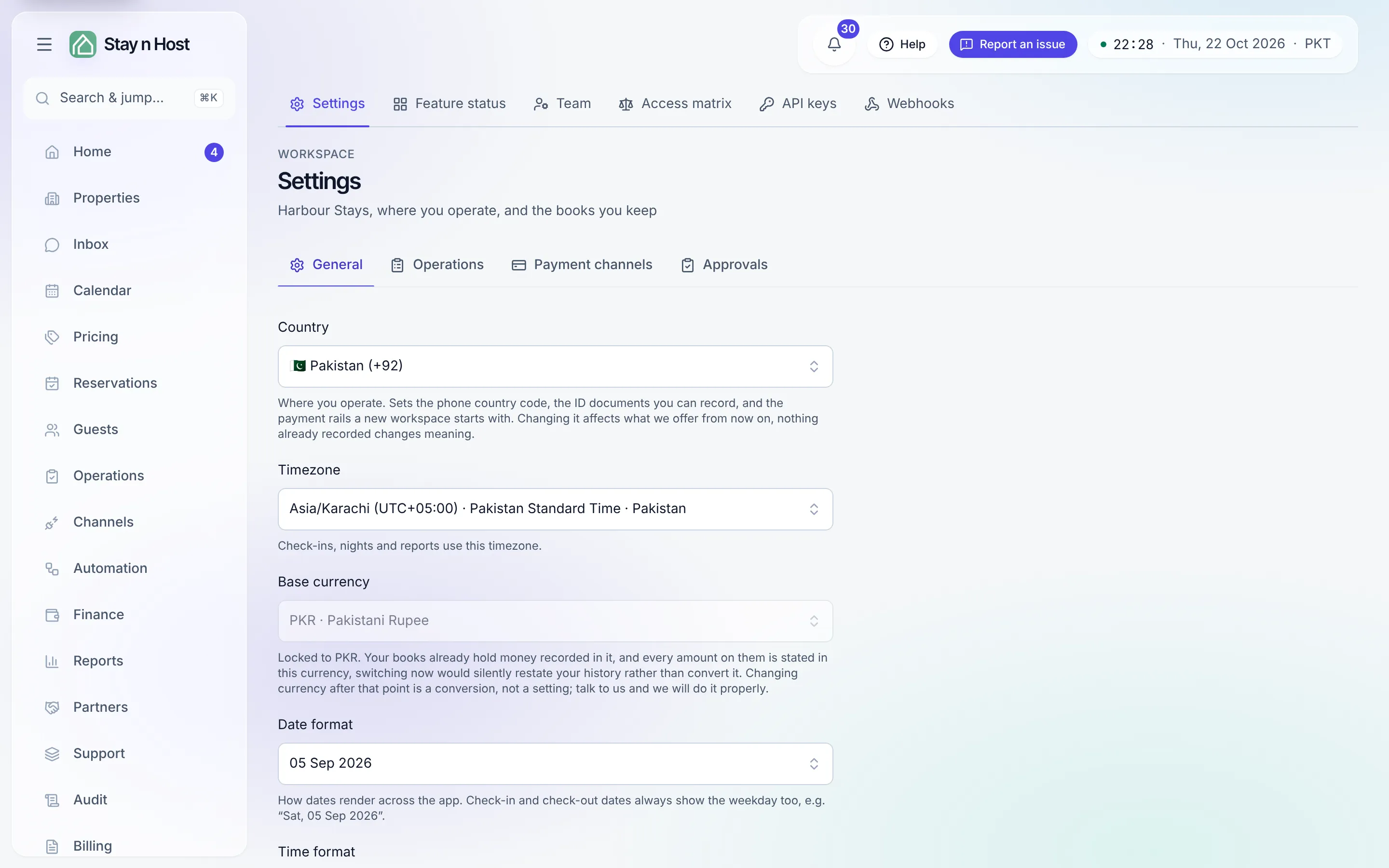
Section titled “General”Where you operate: Country (seeds phone codes, ID document types, and the starting payment channels), Timezone (check-ins, nights, and reports count in it), Base currency, and the Date format and Time format every screen renders with. Save changes saves the form. Below it, the workspace letterhead - your Logo and Brand colour - feeds the quotations you send, each with its own save.
Operations
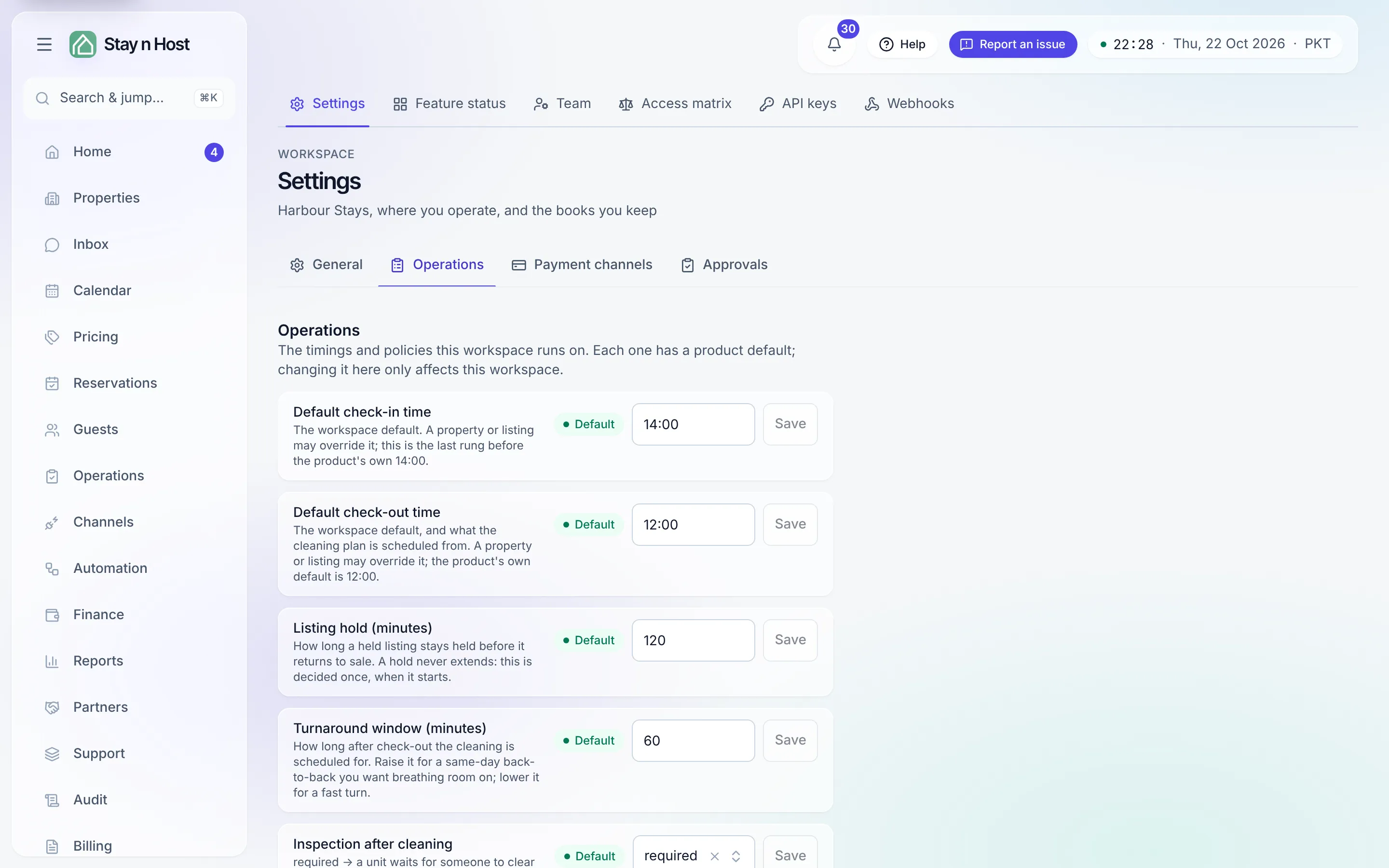
Section titled “Operations”The timings and policies the workspace runs on. Each row has its own explanation, its own Save, and a Default pill while untouched, and changing one affects only this workspace.
| Row | What it does | Default |
|---|---|---|
| Default check-in time | The workspace’s check-in time. A property or listing may override it. | 14:00 |
| Default check-out time | The workspace’s check-out time, and what the cleaning plan is scheduled from. A property or listing may override it. | 12:00 |
| Listing hold (minutes) | How long a held listing stays held before it returns to sale (15 to 1,440). | 120 |
| Turnaround window (minutes) | How long after check-out the cleaning is scheduled for. | 60 |
| Inspection after cleaning | required: a unit waits for someone to clear its inspection before it is ready. off: marking a turnover cleaned also clears it, and the unit is ready at once - except a clean whose after-photo was skipped, which still waits. | required |
| Decimals in amounts | shown (1,000,000.00) or hidden (1,000,000). The stored amount never changes. | shown |
| Quotation links need approval | When required, releasing a quotation link goes to the approval queue instead of straight to the guest. The same switch is on the Approvals tab. | off |
| Require arrival photos before check-in | A stay cannot be checked in until at least one pre-arrival photo or video is attached to it. | off |
| Require departure photos before check-out | A stay cannot be checked out until at least one post-departure photo or video is attached. A cleaner’s “before” photo on the stay’s turnover counts. | off |
One more row is shown but cannot be changed here: Lock-code relay timing, which times the door-code path. It reads “Set outside this page: it gates money or the lock-code path.” The page answers “what can I configure?” completely, including “this one, not from here.”
Payment channels
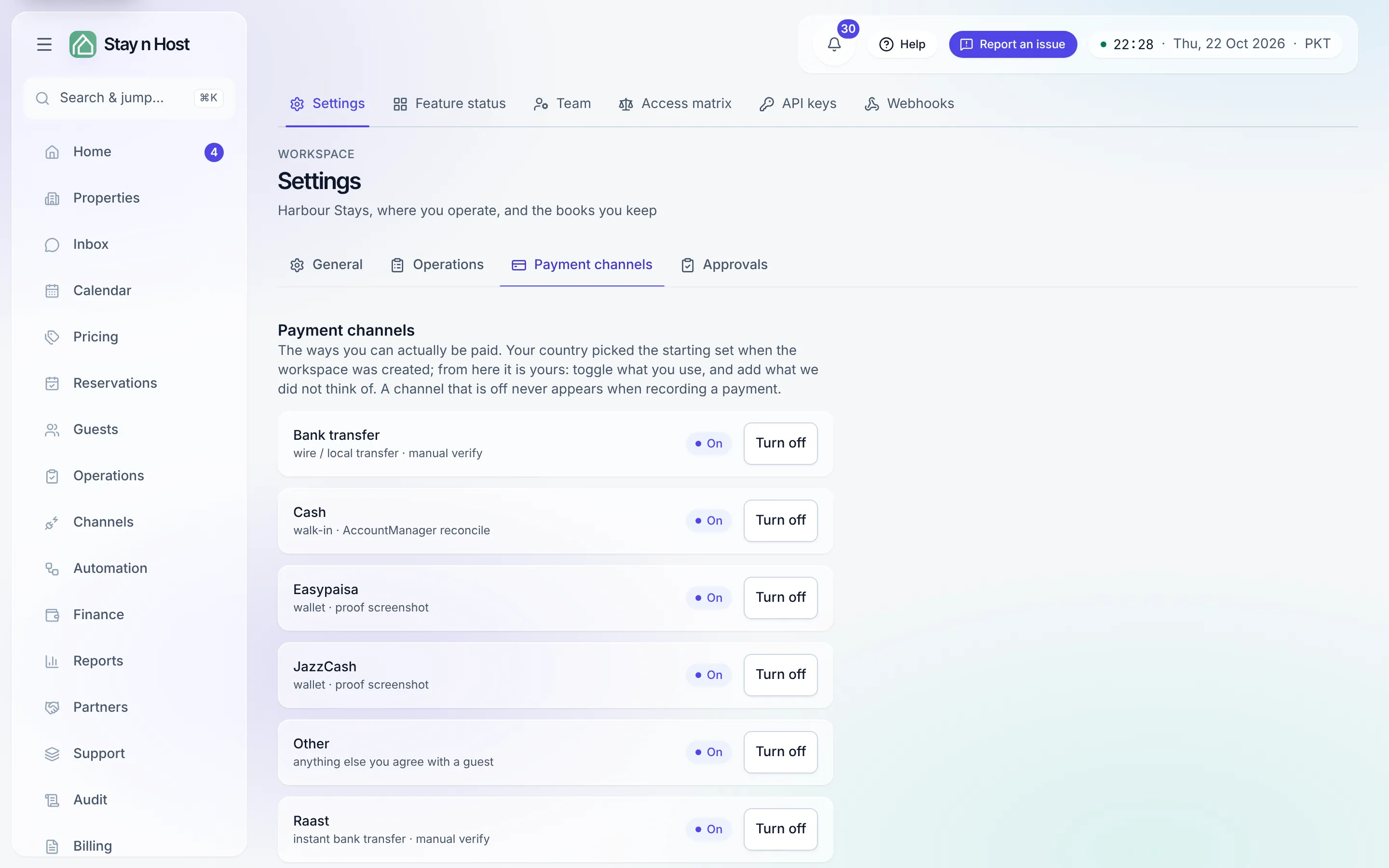
Section titled “Payment channels”The ways you can actually be paid. Your country picked the starting set; from there, toggle rails on and off (a channel that is off never appears when recording a payment), and Add a channel for anything local we did not think of - you name it, give it an id, and say which kind of account its money settles into. Below, Your own money-store types adds kinds of account beyond bank, cash drawer and wallet, each with its own ledger account. Card processing shows as coming soon; there is no card payment today.
Approvals
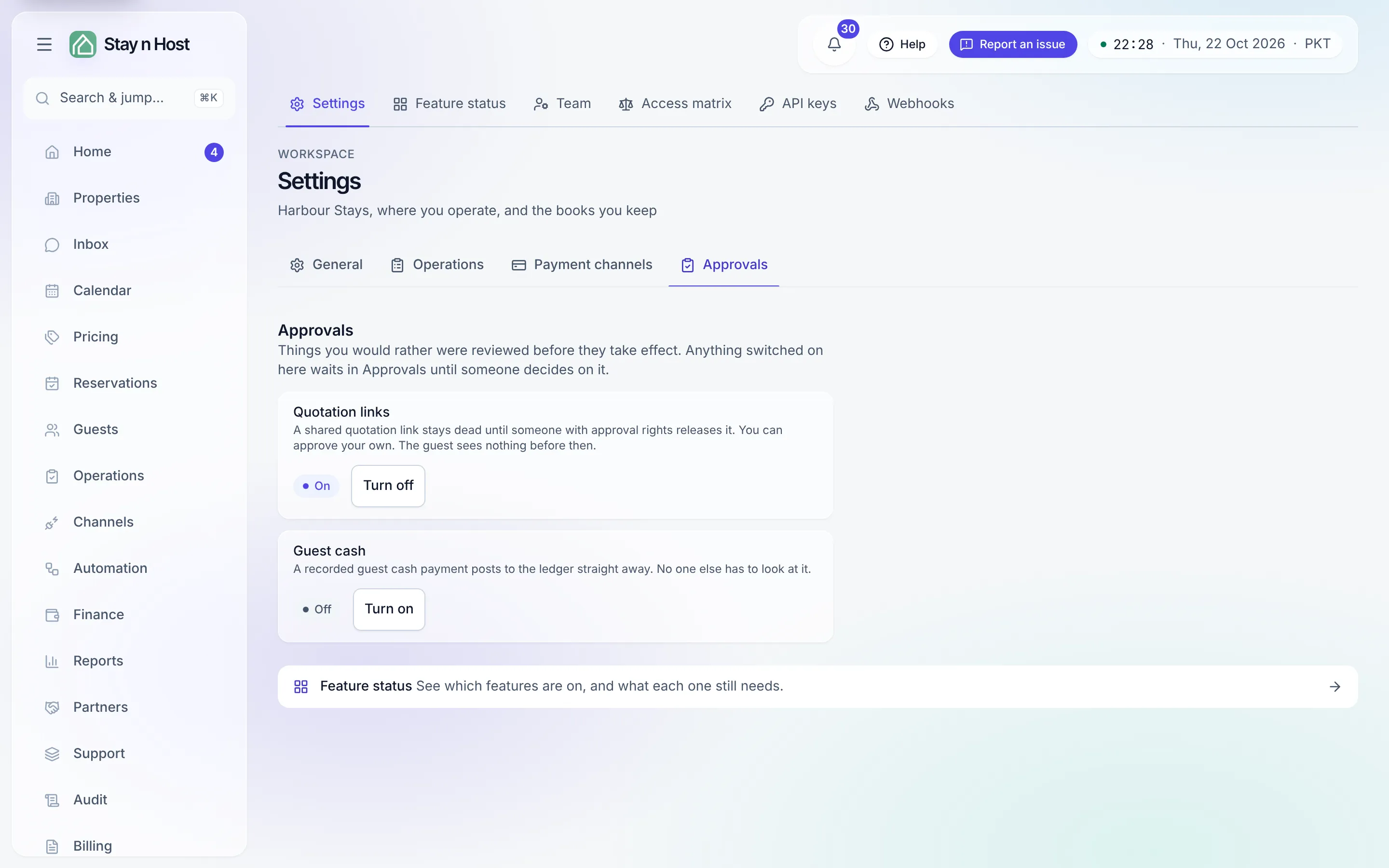
Section titled “Approvals”Things you would rather were reviewed before they take effect. Anything switched on here waits in Home → Approvals until someone decides on it.
- Quotation links - when on, a shared quotation link stays dead until someone with approval rights releases it (you can approve your own); the guest sees nothing before then.
- Guest cash - when on, a recorded guest cash payment parks for an approval step before it posts to the ledger. Anyone who can approve may release it, including whoever recorded it.
If your workspace has only one active seat, the tab warns you that you would be approving your own work - an extra step, not a second opinion, until you add a colleague who can decide. Covered in its own guide: Require an approval step.
Where WhatsApp went
Section titled “Where WhatsApp went”WhatsApp is no longer a Settings tab. It is its own page, Channels → WhatsApp
(/whatsapp); an old link to the WhatsApp tab lands
there. See Connect WhatsApp.
What’s next
Section titled “What’s next”- Require an approval step.
- Your subscription - the plan side of the workspace lives on Billing, not here.
- Feature status - linked at the bottom of Settings.