
Close a month
Closing a month freezes its ledger: any posting dated into a closed month is rejected, and corrections ride a reversing entry in the open period instead - so a figure someone was told can never silently change afterwards. Owner and investor statements generate for closed months only. Until you close your first month, they have nothing to report on.
Open it from Finance -> Period Close. The page is titled Month-end close.
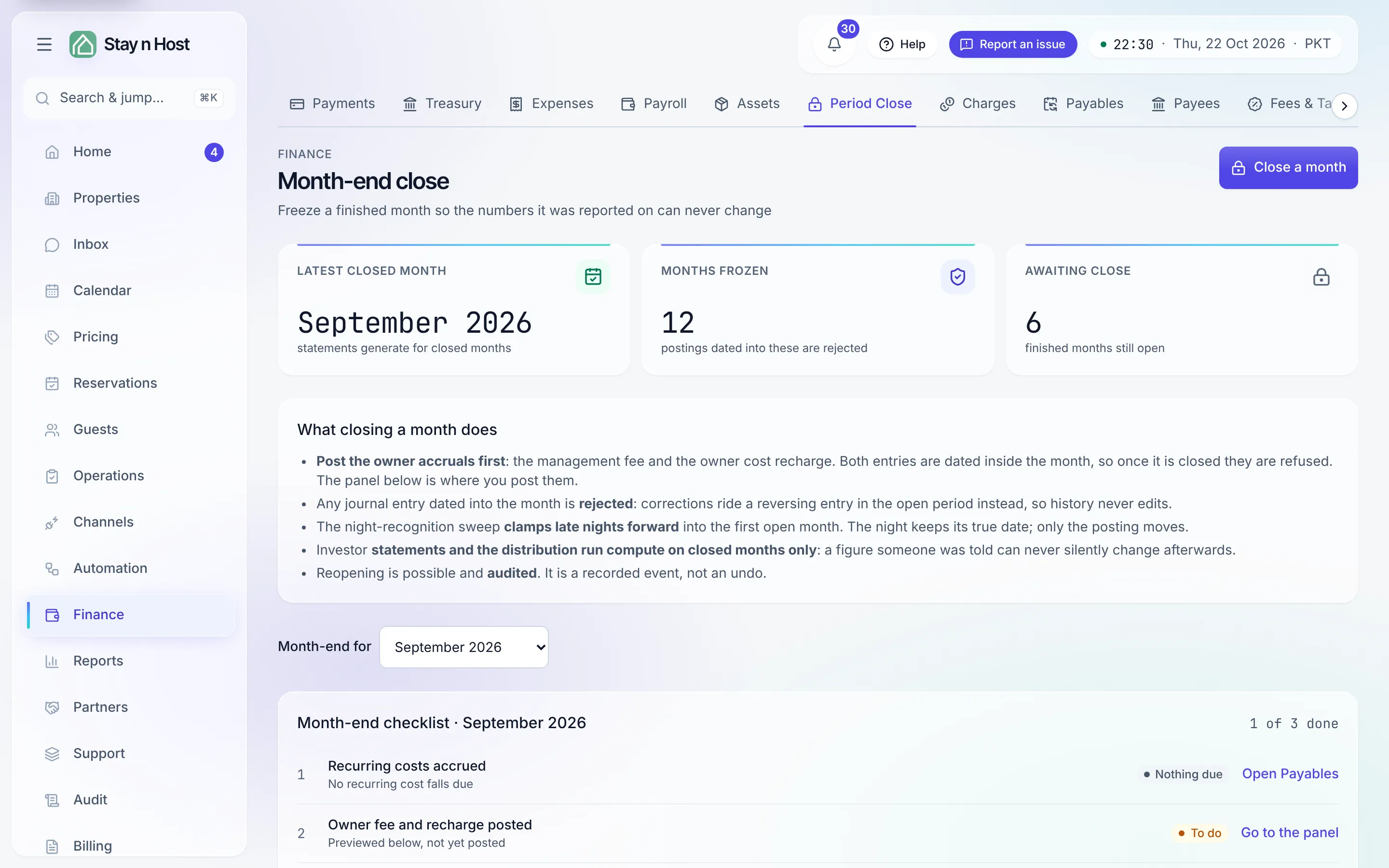
One month at a time
Section titled “One month at a time”The Month-end for picker at the top of the work area chooses the month everything below it is about: the checklist, the owner accruals and the depreciation are all read and posted for that one month. It lists finished months only, newest first, so the month you are still writing into is never offered.
Under it, the Month-end checklist counts what is done (“3 of 6 done”) and links each step to the place you do it:
- Recurring costs accrued - opens Payables.
- Owner fee and recharge posted and Depreciation posted - jump to the panels below.
- Payroll paid - opens Payroll.
- P&L reviewed - opens the P&L for that month.
- Month closed - jumps to the close history.
A step whose screen your seat cannot open is left out, and a step that has nothing to do for the month reads Nothing due.
Close the month
Section titled “Close the month”-
Post the owner accruals first. The Month-end owner accruals panel previews, per managed unit, the management fee and the owner cost recharge, then Post accruals writes them. These entries are dated inside the month, so a closed month refuses them - post, then close, never the other way. Posting needs the money-recording capability (typically your Account Manager), and it posts once: running it again changes nothing. The panel’s Export gives you the preview as CSV, Excel or PDF.
-
Post depreciation, if you registered assets. The Depreciation panel is a separate posting for the same reason: it answers a different question (what your own assets cost you, not what the owner is owed), and a month can need one and not the other.
-
Restate foreign balances if you hold money in more than one currency - see Foreign balances below.
-
Click “Close a month” (Admin), pick the month, and optionally leave a note (e.g. “Reconciled against bank statement”). Only finished months are listed. The confirmation spells out the consequence: postings dated into the month will be rejected from then on.
-
Read the reports off the closed month. The P&L, owner statements, and investor statements now describe a month that can’t shift under them.
Foreign balances
Section titled “Foreign balances”When your Treasury holds accounts in more than one currency, a Foreign balances panel appears at the bottom of the page. Money you hold, owe or are owed in another currency changes worth in your own currency even when nobody touches it; restating books that difference as an exchange gain or loss.
- You run it by hand. Restate (followed by the month) works on the most recent finished month, and needs the money-recording capability. Do it before you close that month: a closed month refuses it until you reopen it.
- It needs a rate. Each foreign account is restated at the latest exchange rate on record dated on or before the month’s last day. An account with none shows No rate for this month yet and is left as it is. Click Enter rate on that row (or Enter a rate at the top of the panel), give the value of 1 unit of the foreign currency in your own currency, and keep the month-end date it suggests. Saving posts nothing; click Restate afterwards. Entering a rate needs the workspace-settings permission (Admin).
- It posts once. Each restated account shows its rate and the gain or loss, with the net for the month. An account already restated reads Already done, and restating twice books nothing the second time.
A workspace that only ever holds one currency never sees the panel.
Reopening - possible, and deliberately loud
Section titled “Reopening - possible, and deliberately loud”Every closed month in the Close history has a Reopen button (Admin). Reopening is a recorded event, not an undo:
- The original close stays on the audit trail, and the reopen is written next to it.
- Any statement already issued for that month was computed on the figures as they were - reopening doesn’t recall it.
- When you re-close, a new row is added; a reopened month shows in the history as its own entry with a Reopened status.
What’s next
Section titled “What’s next”- Read the results: Read your P&L.
- Run the money out: Run an owner payout.
- Hand off the closed books: Share the books with your accountant.