
Build your track record
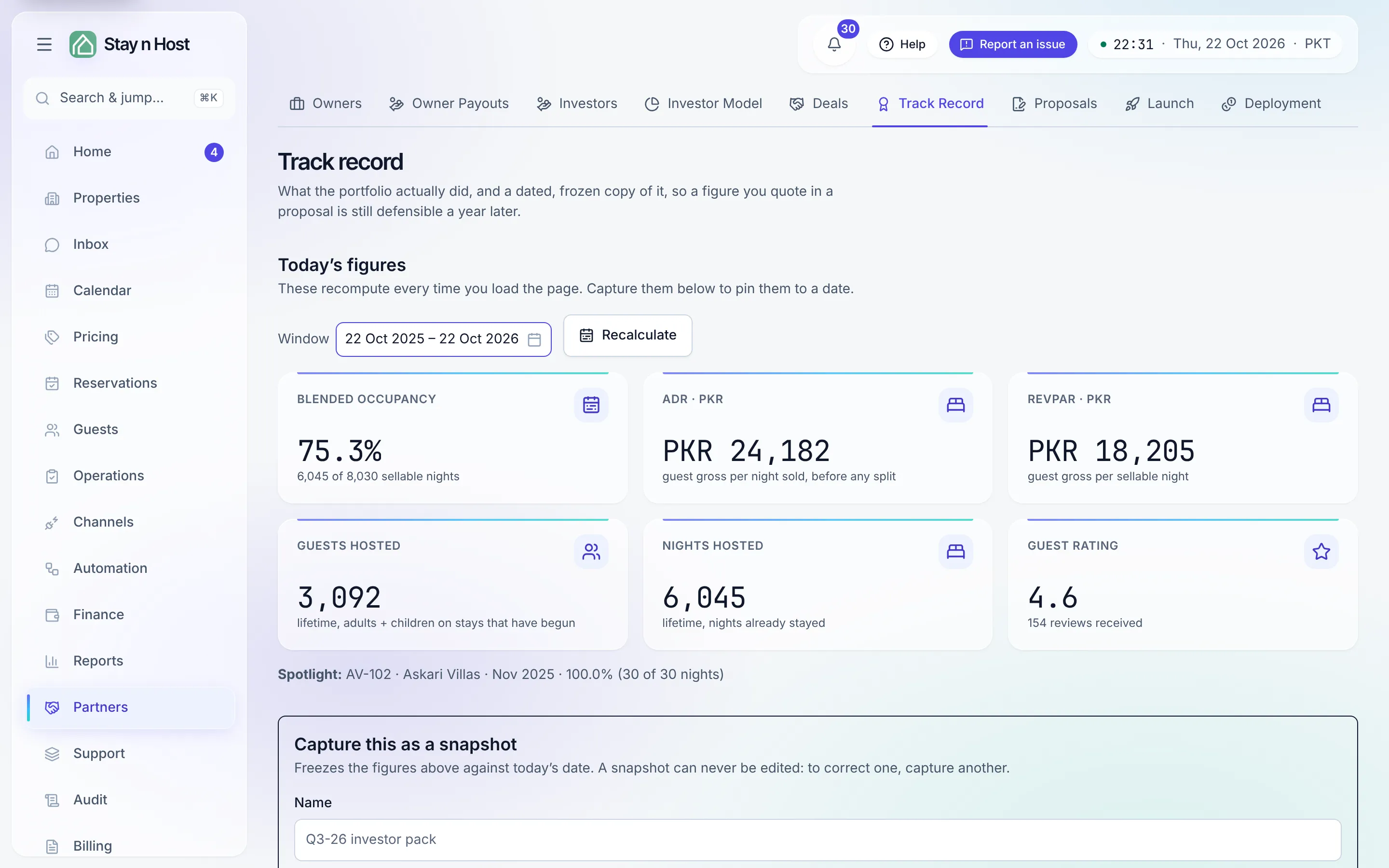
Every live report recomputes on every load - which is right for operations and wrong for a pitch. Track record is where a number stops moving: it shows what the portfolio actually did over a window, and lets you capture that as a dated, frozen snapshot. A snapshot can never be edited; to correct one, capture another. That’s what makes it citable - if a snapshot no longer matches today’s numbers, that’s the point.
-
Pick the window under Today’s figures (default: the trailing 12 whole months) and click Recalculate. Six figures compute live: blended occupancy, ADR (guest gross per night sold, before any split), RevPAR (guest gross per sellable night), guests hosted and nights hosted (lifetime), and the guest rating with its review count.
-
Check the spotlight month. The report nominates a best month - but only a month where a unit was on sale every single day of a calendar month inside the window qualifies. A partly blocked month would flatter the percentage, so it can’t be the spotlight.
-
Add badges, honestly. A badge (“Superhost”, awarded by Airbnb, as of a date) is a claim you attest to - the product can’t see your Airbnb account, so it records who awards it and when it was true, and prints exactly that.
-
Click “Capture snapshot” and name it (e.g. “Q3-26 investor pack”). The figures freeze against today’s date and join the Captured snapshots table - window, capture date, and every metric, newest first.
What’s next
Section titled “What’s next”- Cite it: Send an investor proposal.
- The live version of these figures: Occupancy, ADR, and RevPAR.