
Inspect a turnover
Every finished turnover clean queues on the Inspections tab (Operations → Housekeeping → Inspections) for a verdict. By default a unit is ready for the next check-in only after a person clears it. A workspace without separate inspectors can change that, see Inspection after cleaning below.
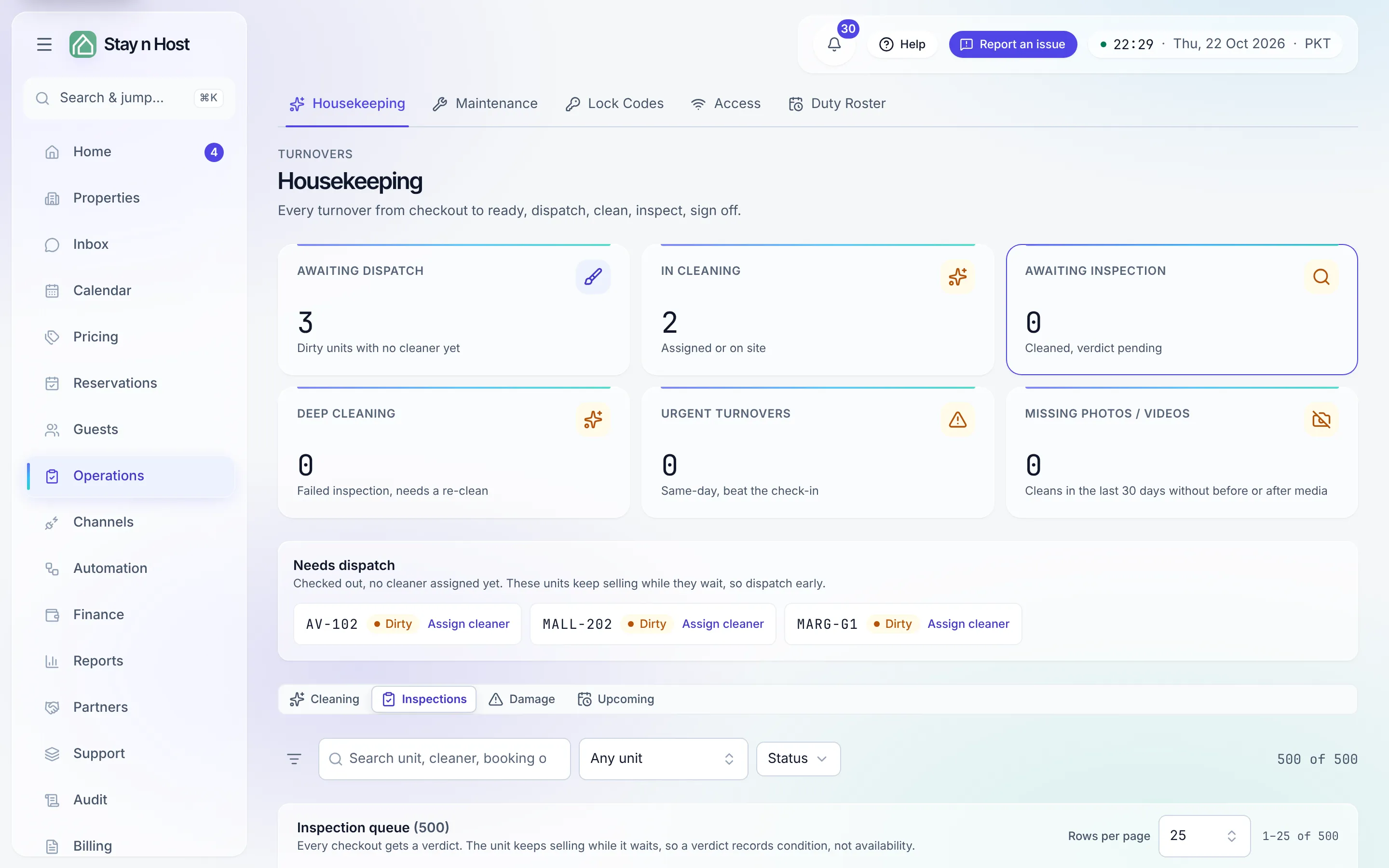
Give a verdict
Section titled “Give a verdict”-
Open the Inspections tab. Rows marked Pending are waiting for you. If inspections are your seat’s only job, the page opens on this tab.
-
Walk the unit. If everything is fine, press Clear. The unit is ready at once - “Cleared, the unit is ready.”
-
If something is wrong, press Record finding and choose one of three outcomes: Damage found, Item missing, or Needs extra cleaning.
-
For damage or a missing item, describe What happened (required) and add an Estimated cost if you can judge one. The estimate is for the report only - nothing is charged here.
-
Press Record. Damage or a missing item opens a damage report; extra cleaning sends the unit back through the cleaning chain. Neither one takes the unit off the market, so block the dates on the calendar if it cannot take a guest.
Rounds
Section titled “Rounds”Each verdict is a numbered Round. A unit that fails and comes back is inspected again as round 2, and so on - the queue shows the round so a repeat visit is obvious. You can attach inspection evidence (photos or video of the unit’s condition at this round) from the inspection’s detail page.
Escalate or resolve
Section titled “Escalate or resolve”On a finding that needs a decision about the guest - charging them, or letting it go - two more verbs appear, for the seats that hold them (the Conflict Resolution Manager holds both; an inspector holds neither):
- Escalate hands the case to conflict resolution (“Escalated to conflict resolution”).
- Resolve (no charge) closes it and makes the unit ready with nothing owed.
Both also live on the damage report itself - see Record and work a damage claim.
Inspection after cleaning
Section titled “Inspection after cleaning”Some workspaces have no separate inspectors: the cleaner’s word is the check. The workspace setting Inspection after cleaning, on Setup → Settings → Operations, decides:
| Setting | When a turnover is marked cleaned |
|---|---|
| required (the default) | The unit waits on the Inspections tab until a person clears it. |
| off | Marking the turnover cleaned also clears its inspection, and the unit is ready at once. The inspection round is still opened and closed on the record, saying who cleaned and that the workspace setting passed it. |
Even with the setting off, a clean whose after photo was skipped still waits for a person: there is nothing on record to stand in for the look nobody took.
Mark cleaned & ready
Section titled “Mark cleaned & ready”With inspection required, a seat that can both finish a clean and clear an inspection (a Property Manager, for example) sees a second button beside Mark cleaned on the job page: Mark cleaned & ready. It marks the clean done and clears its inspection in one step, so the unit is ready for check-in straight away. It needs an after photo or video on record, and it needs a signal at the moment you press it.