
Onboard a property owner
The Owners register (Partners -> Owners) is where your counterparties live - the people whose units you manage or lease. Staff belong on Team; this page is who owns what, on what basis. Getting an owner fully onboarded takes three acts: register them, attach their units on the agreed terms, and link a login.
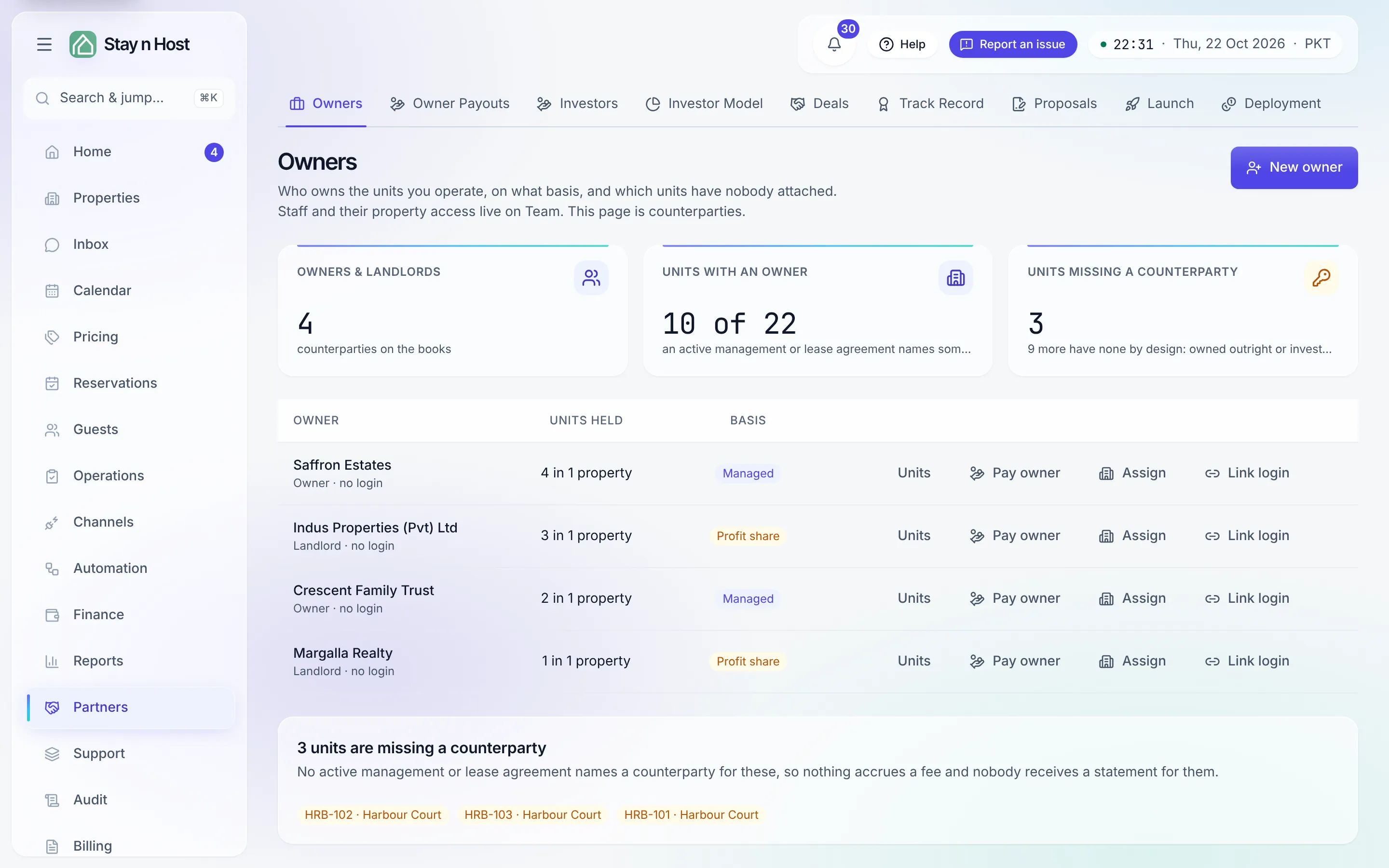
-
Click “New owner” and pick the relationship - it decides how their money is calculated:
- Owner - we manage their unit for a fee (you collect their revenue, keep a fee).
- Landlord - we lease their unit from them (you pay rent; the revenue is yours).
-
Click “Assign” on the owner’s row and record the agreement. This asks for the terms, not just the unit, because the fee accrual and their statement are computed from it:
- Property and Unit - a single unit, or the whole property (which covers units added later too). A unit assigned under its own agreement overrides the property-wide one.
- Basis - Managed (fee %, charged on net or gross) or Leased (monthly rent, term start, and their share of net profit, if any).
Assigning records the agreement - it does not change the unit’s operating model. A unit whose model is “Owned outright” refuses a counterparty; change the model on the property’s Finance tab first.
-
Invite them on Setup -> Team with the Property owner (their portal only) seat - it grants exactly the portal read, nothing operational.
-
Link the seat to the owner. Either on Setup -> Team (the “Which property owner is this?” field on the seat) or here via Link login on the owner’s row. This link is what makes the portal work: a Property owner seat with no link signs in to a “your portal is being set up” screen.
What’s next
Section titled “What’s next”- What they’ll see: What the owner sees.
- Their money: Run an owner payout - the Pay owner action on their row takes you there.
- Check their view: Preview the owner and investor portals.
- The posting side: Operating models register.