
Calendar & availability
The Calendar is the one place every night of every unit is decided. Bookings made on Airbnb, quotes on hold, manual blocks - they all land here, and here is what every channel obeys.
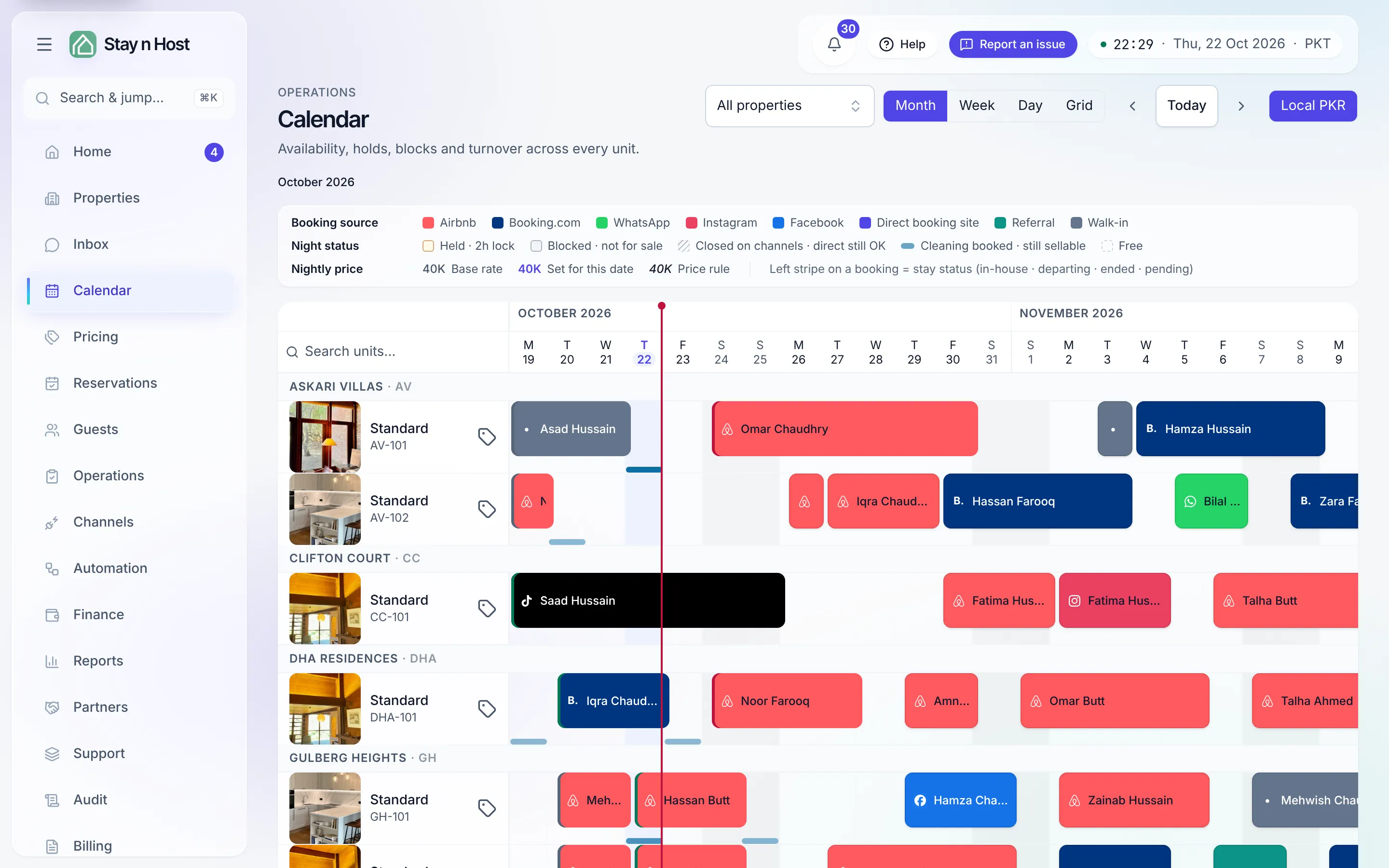
What you can do on it
Section titled “What you can do on it”- See the whole portfolio - units down, nights across, colour-coded by state: booked, held, blocked, prep.
- Edit nightly prices - one night in the cell (F2), a range or a percentage from a selection, or the unit’s base rate from its row.
- Block dates - maintenance, an owner’s own stay, seasonal closure.
- Add holds - soft-reserve nights while a deal is in flight.
- Start a booking - select free nights on a unit and go straight to a quote, a direct booking, or a group.
- Set price rules - weekend premiums, seasons, long-stay and last-minute prices, applied automatically; a night a rule moved shows in italics.
The rules underneath
Section titled “The rules underneath”- A night sells once. The oversell guard is structural - two bookings can’t hold the same night of the same unit, whichever side they came from.
- Linked units block each other. Booking the big apartment blocks its two halves automatically, and vice versa. Set links on the property’s Linked units tab.
- Prep time keeps back-to-backs realistic - a buffer after checkout the calendar refuses to sell.
- An iCal feed is available for read-only sharing with external calendars; live two-way sync belongs to Channels.