
Automation
The Agent Hub (Automation → Agent Hub) holds the automations that work while you sleep. Each one is something a good operator would do by hand at the right moment - the hub just never forgets. Its tabs are Built-in, Your automations, Auto-responses, Coming soon, and Run history. Start with Meet the Agent Hub.
The Automation hub also holds Message Templates (the saved wording automations and auto-responses send) and the AI assistant.
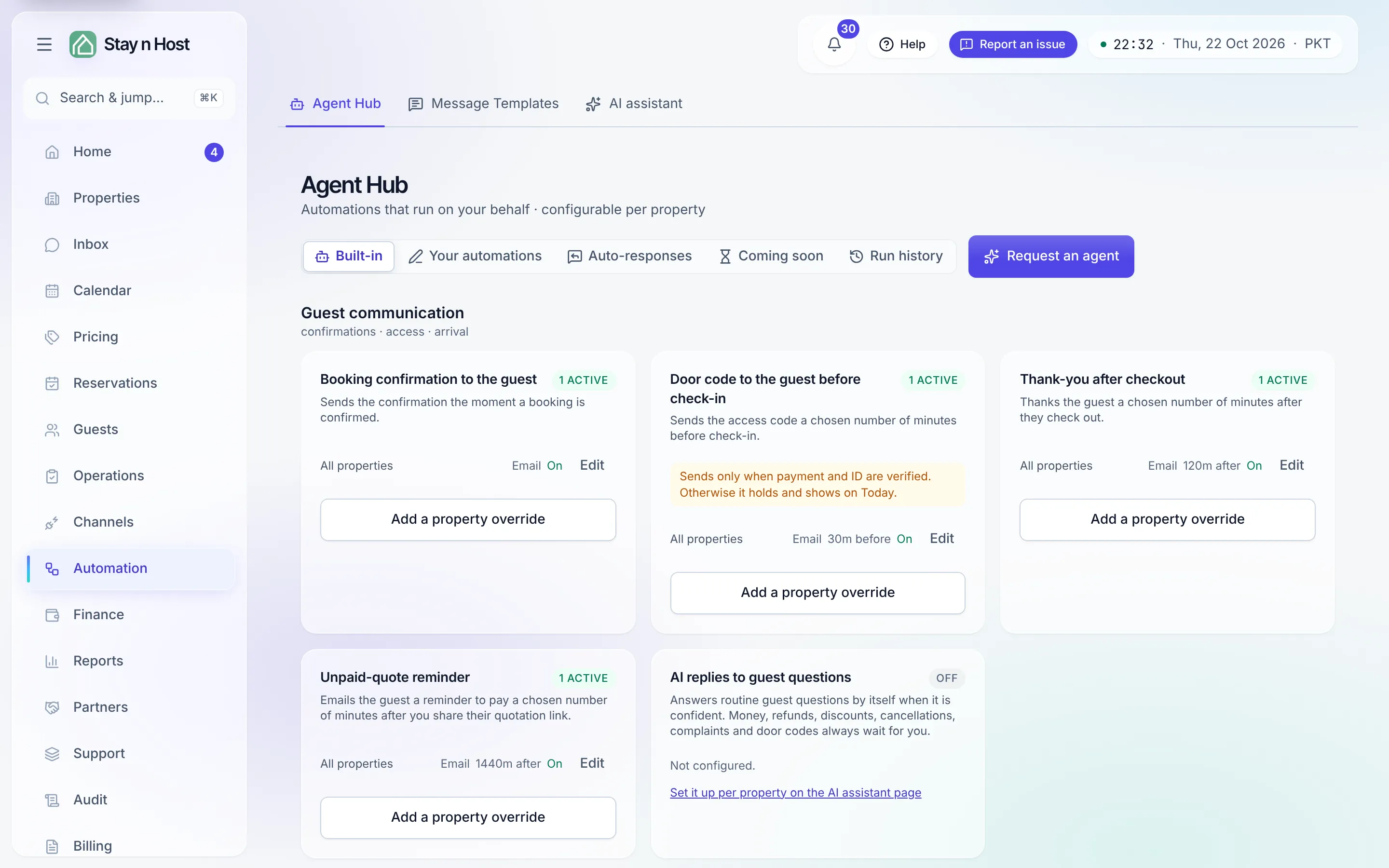
The eight built-in automations
Section titled “The eight built-in automations”| Automation | What it does |
|---|---|
| Booking confirmation to the guest | Sends the confirmation the moment a booking confirms. |
| Door code to the guest before check-in | Sends the access code N minutes before check-in - with no human in the loop. |
| Thank-you after checkout | Thanks the guest a chosen number of minutes after they leave. |
| Unpaid-quote reminder | Reminds a guest to pay a quote you shared, once, while it is still unpaid. |
| AI replies to guest questions | Answers routine guest questions by itself, per property, when it is confident. |
| Today’s arrivals to reception | A daily digest at your chosen time, per apartment. |
| Same-day arrival alert to reception | An immediate alert when a same-day booking confirms. |
| Daily ops report to the operations team | The 12 AM digest - its audience is configured here, on the automation. |
Write your own
Section titled “Write your own”The built-ins are not the limit. On Your automations you write your own: pick a moment on the stay (from the booking being confirmed to after the guest leaves), pick who hears about it, and write one message or a sequence, with a preview of exactly what will be received. Starter packs give you a finished example to edit. See Create your own automation.
AI replies
Section titled “AI replies”The AI assistant drafts replies to guest messages from your records, and its autopilot can answer routine questions per property. Money, refunds, discounts, cancellations, complaints and door codes always wait for you.
The door-code automation deserves a careful read
Section titled “The door-code automation deserves a careful read”It’s the only automation that releases something sensitive, so it carries guardrails:
- The dual gate - payment verified and ID verified - is checked at send time, not when you configured the automation.
- A send that fails the gate is recorded as held, with its reason, and surfaces on Home → Today under Automations waiting on you. It re-checks continuously - clear the blocker (verify the payment, verify the ID) and the code goes out with no further step.
- Every send, human or automated, lands in the Lock Codes ledger.
The full walkthrough: Send door codes before check-in.
Run history
Section titled “Run history”The Run history tab is a table of every run - what fired, for whom, and whether it was delivered or held, and why. If a guest says “I never got my confirmation”, the answer is one filter away, and a delivered confirmation, thank-you or message of your own can be sent again from its row (never a door code): Read the run history.
Missing an automation?
Section titled “Missing an automation?”If neither a built-in nor an automation you can write does the job - say, one that must check something before it acts - Request an agent, at the top right of the hub, files the automation you need with the Stay n Host team: a name, what it should do, and any screenshots that explain the workflow. Anyone who can open the hub can ask, and a request fires nothing: Request an agent.