
Operating models register
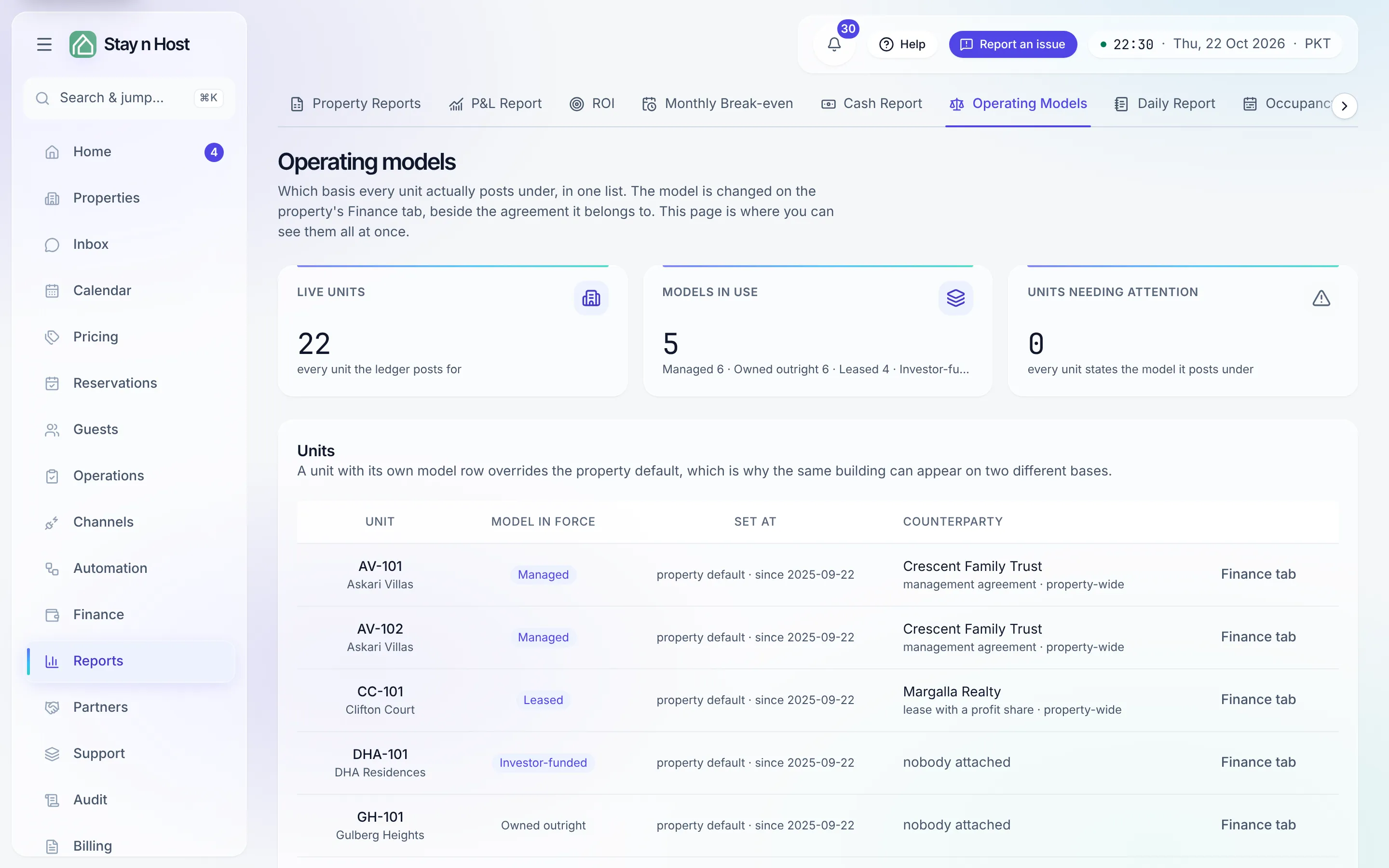
Every unit posts to the books under an operating model - the fact that decides whose money the guest’s payment is:
- Owned outright - the unit is yours; revenue is your revenue.
- Leased - you pay the owner a lease; revenue is yours, the lease is a fixed cost.
- Managed - you run it for the owner; the guest gross is the owner’s money you’re holding, and only your fee is your income.
- Investor-funded - the unit belongs to a capital pool; net results split per the investment agreement.
The register shows the model in force for every live unit at once. It’s read-only by design: the model is changed on the property’s Finance tab, beside the agreement it belongs to, and every row deep-links there with its Finance tab button. Read here, edit there - one write path onto money configuration.
Reading a row
Section titled “Reading a row”- Model in force - the model the ledger actually posts under, or the warning tag “Not set - posts as owned” (see below).
- Set at - whether the model comes from the property default or was set for this unit only, and since when. A unit-level model overrides the property’s.
- Counterparty - who’s attached (a management agreement, a lease, or a lease with a profit share), or “nobody attached”.
A counterparty and a model that don’t look like a pair is not automatically wrong - mixed combinations are legitimate (an investor-funded unit can carry a management agreement). Only two states are flagged.
The two findings worth acting on
Section titled “The two findings worth acting on”The Units needing attention tile counts both, and Show the N flagged filters the table to them.
Where the model shows up
Section titled “Where the model shows up”The model isn’t a label - the reports respect it everywhere: the P&L groups by it and excludes managed gross, the Treasury carries owner and investor money as a liability, and Break-even & ROI splits capital by it.
What’s next
Section titled “What’s next”- Set a model: your property’s Finance tab, under Properties & listings.
- See the effect: Read your P&L.
- Owner-side consequences: Onboard a property owner.