
Work the Inbox
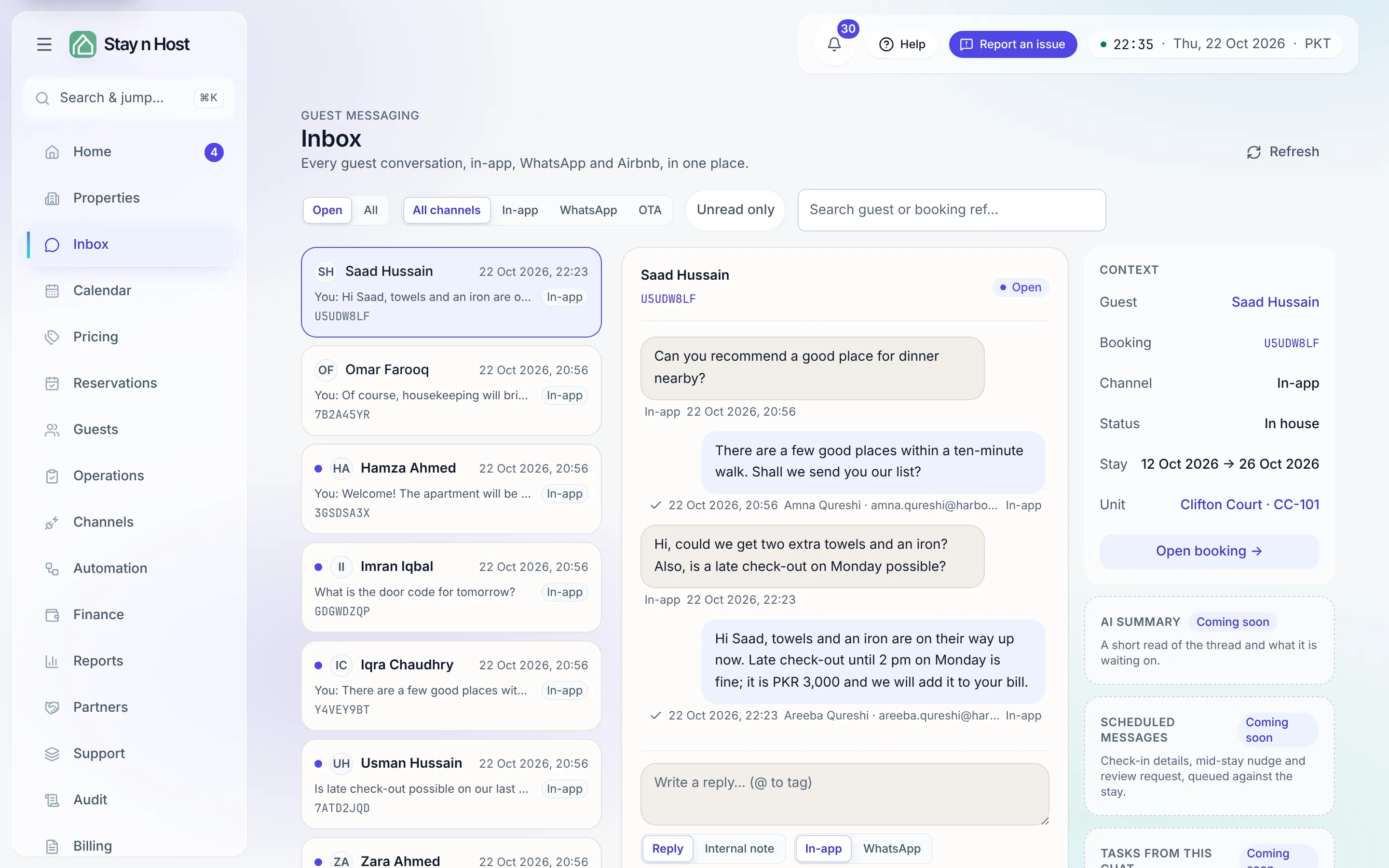
The Inbox is one queue for every guest conversation - In-app (the guest app and your direct site), WhatsApp, and Airbnb chat - newest activity first, shared by everyone who works guests. Unread dots are per person: opening a thread clears yours, never a teammate’s.
-
Open Inbox. The list starts on Open conversations - switch the status filter to All to include closed ones.
-
Narrow the queue when it is busy: filter by channel (In-app / WhatsApp / Airbnb), toggle Unread only, or search by guest name or booking reference.
-
Click a conversation. The thread shows every message with its transport, who on your team sent it, and delivery ticks on outgoing messages. Snippets in the list are labelled too - You: for your team’s last word, Note: for a private staff note.
-
Use the context rail beside the thread to answer without leaving the page: the guest, the booking or inquiry reference, stay dates, and the unit are all links to their records. Airbnb threads also link straight out to the thread on Airbnb.
Threads without a booking
Section titled “Threads without a booking”A first message from an unknown WhatsApp number or a new Airbnb inquiry opens a guest thread with no booking. The thread header offers Open inquiry - enter the stay dates and party (Airbnb does not send us the requested stay, so copy it from their screen) and the guest lands in your funnel with the conversation attached.
What’s next
Section titled “What’s next”Answer the guest: Reply to a guest.