
Inbox & messaging
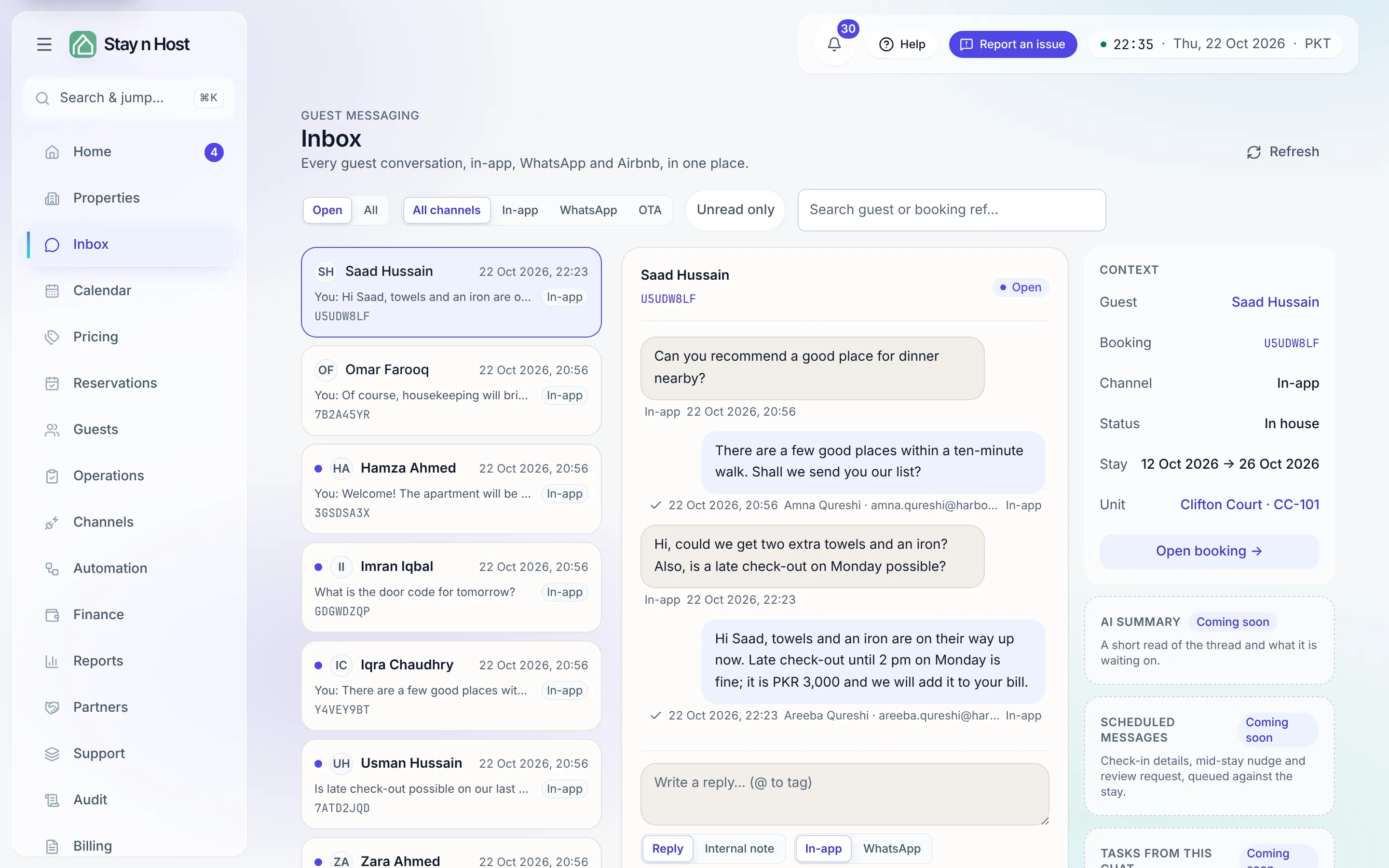
The Inbox (its own row in the hub rail) is your team’s shared phone: every guest conversation from every transport, in one queue, visible to everyone who works guests. With the AI messaging add-on, Draft reply in the composer writes a first draft from your records for you to check and send.
| Screen | What it’s for |
|---|---|
| Inbox | All conversations - WhatsApp and Airbnb chat side by side, newest activity first. |
| A conversation | The thread, plus internal notes and @mentions guests never see, and attachments. |
| Message Templates (Automation hub) | Saved phrases the composer inserts - directions, Wi-Fi, late-checkout policy. |
The guides
Section titled “The guides”- Work the Inbox - the queue, filters, and the context rail.
- Reply to a guest - the composer, transports, attachments, and AI drafts.
- Internal notes and @mentions - staff-only context on the thread.
- Build and use message templates - the library and the composer’s picker.
- A booking’s Messages tab vs the Inbox - one thread, two doors.
- Where guest-app messages land - the guest’s side of the same thread.
- Automated messages - what the Agent Hub sends and how it’s recorded.
How it connects to everything else
Section titled “How it connects to everything else”- A first message from an unknown number opens an inquiry automatically - the funnel starts here. (The full flow.)
- Every booking’s Messages tab shows the same thread scoped to that stay - reply from either place, it’s one conversation.
- The guest app’s Messages screen feeds the same inbox.
- Automations (confirmations, door codes, arrival digests) send through your configured channels, and every automated send is recorded in the Agent Hub’s run history.
Set up the WhatsApp connection itself on Channels → WhatsApp: Connect WhatsApp.