
Set up fees
Fees & Taxes (Finance -> Fees & Taxes) holds the standing lines a quote is built from. Configure them once and every new quote composes them automatically - while the operator’s final total always wins, so a fee schedule never stops you agreeing a price.
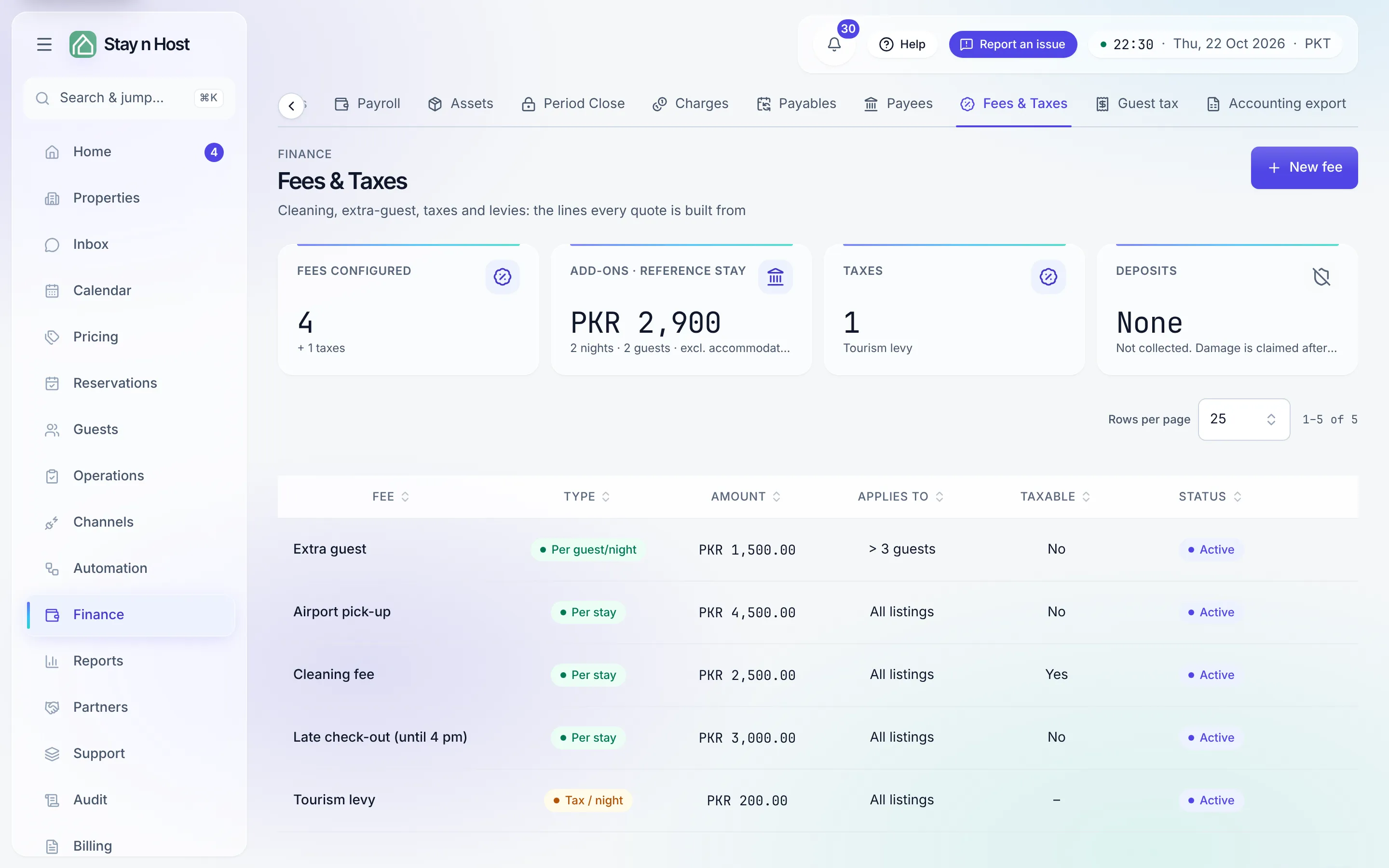
Add a fee
Section titled “Add a fee”-
Click “New fee” and name it - “Cleaning fee”, “Extra guest”.
-
Pick its type:
Type How it charges Per stay Once per booking. Per night Multiplied by nights. Per guest Per guest per night, above a threshold you set (“Charged above how many guests?”). Tax % A percentage over the taxable base. Tax / night A fixed levy per night. -
Enter the amount. A Tax % line takes a percentage, Percent (0–100). Every other kind takes an ordinary amount in your currency, Amount ({currency}), with the currency’s own decimals: type
3,500or3,500.50for a PKR workspace, exactly as it should print. -
Decide if it’s taxable. A fee marked Taxable joins the base your Tax % lines are charged over. Tax lines themselves can’t be taxable. Click Create fee.
Reading the schedule
Section titled “Reading the schedule”The table shows each line’s type, amount, what it applies to (all listings or scoped), whether it’s taxable, and whether it’s Active. Click a row to edit it; the bin icon removes it. Inactive lines stay listed but compose into nothing.
The KPI band includes a reference figure - what the active add-ons total for a 2-night, 2-guest stay - so you can sanity-check a change at a glance.