
Record an inquiry by hand
WhatsApp and Airbnb inquiries open themselves - but a walk-in, a phone call, or an Instagram DM you enter yourself. The wizard records the ask in under a minute, and you can stop after any step and pick it up later.
-
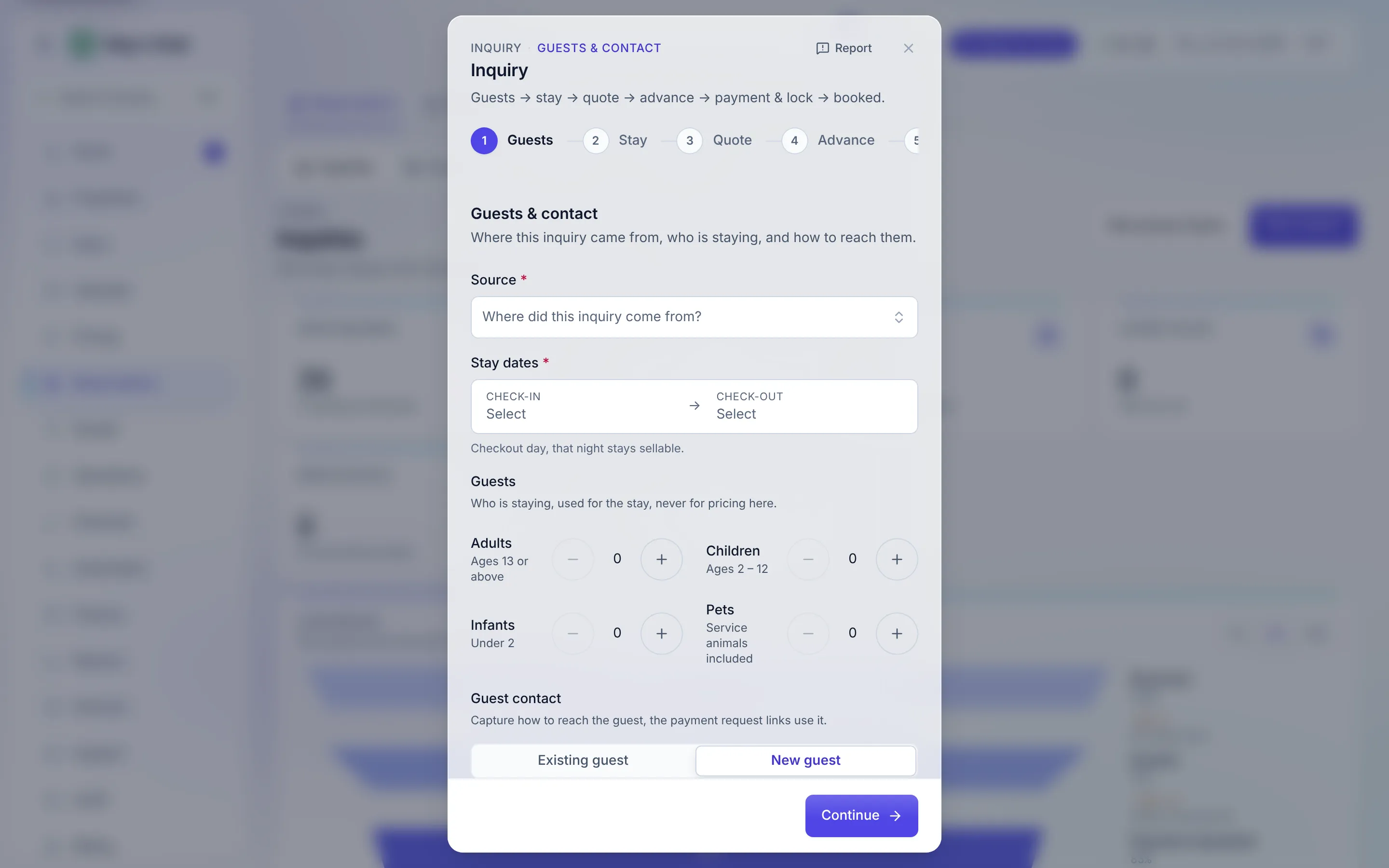
On Reservations -> Inquiries, press New inquiry. The wizard’s steps run Guests → Stay → Quote → Advance → Payment & lock; only the first two are needed to record the ask. For a seat that can verify payments, a last Booking step follows the lock (see Confirm the unit).
-
Guests & contact. Start with the Source - where the guest actually came from: Walk-in, Call, WhatsApp, Instagram, Referral, and so on. It costs two seconds now and buys you honest marketing numbers forever. Then search existing guests by name, phone, or email - or capture a new one - and set the party: adults, children, infants, pets. Include the country code on phone numbers; the payment-request links use them later. Press Continue.
-
Stay details. Pick the property and the listing type; the unit itself is optional - leave it as “Any free unit (auto-assigned)” unless the guest wants a specific one. Set check-in and check-out (the checkout night stays sellable). A live availability check tells you how many units of this type are free for these nights as you go. Check-in cannot be earlier than today in your workspace’s timezone - an inquiry is an ask for a stay that has not happened yet. To record a stay that already did, use New booking on Reservations -> Bookings, or the spreadsheet import.
-
Press Record inquiry. The inquiry now exists with status New and appears on the Inquiries list and in the Needs attention card on Today as Needs a quote.
Going Back
Section titled “Going Back”Back works wherever going back is safe. From Stay details it returns to Guests & contact. From the Advance and Payment & lock steps it reads Change the quote and reopens the quote, so you can re-price without starting over (a quote that carries decimals is re-priced from the inquiry’s Edit dialog instead, so no fraction is lost). The Quote step has no Back, because the step before it already created the inquiry, and nothing goes back once a unit is locked.
What’s next
Section titled “What’s next”- Quote the stay
- Run a group inquiry - several units, one guest