
Track and request reviews
The Reviews screen (Guests → Reviews) tracks every guest review across platforms - what you asked for, what came back, and your average rating. Airbnb stays prompt on-platform after checkout; offline stays get asked directly, typically with a WhatsApp message and a Google link.
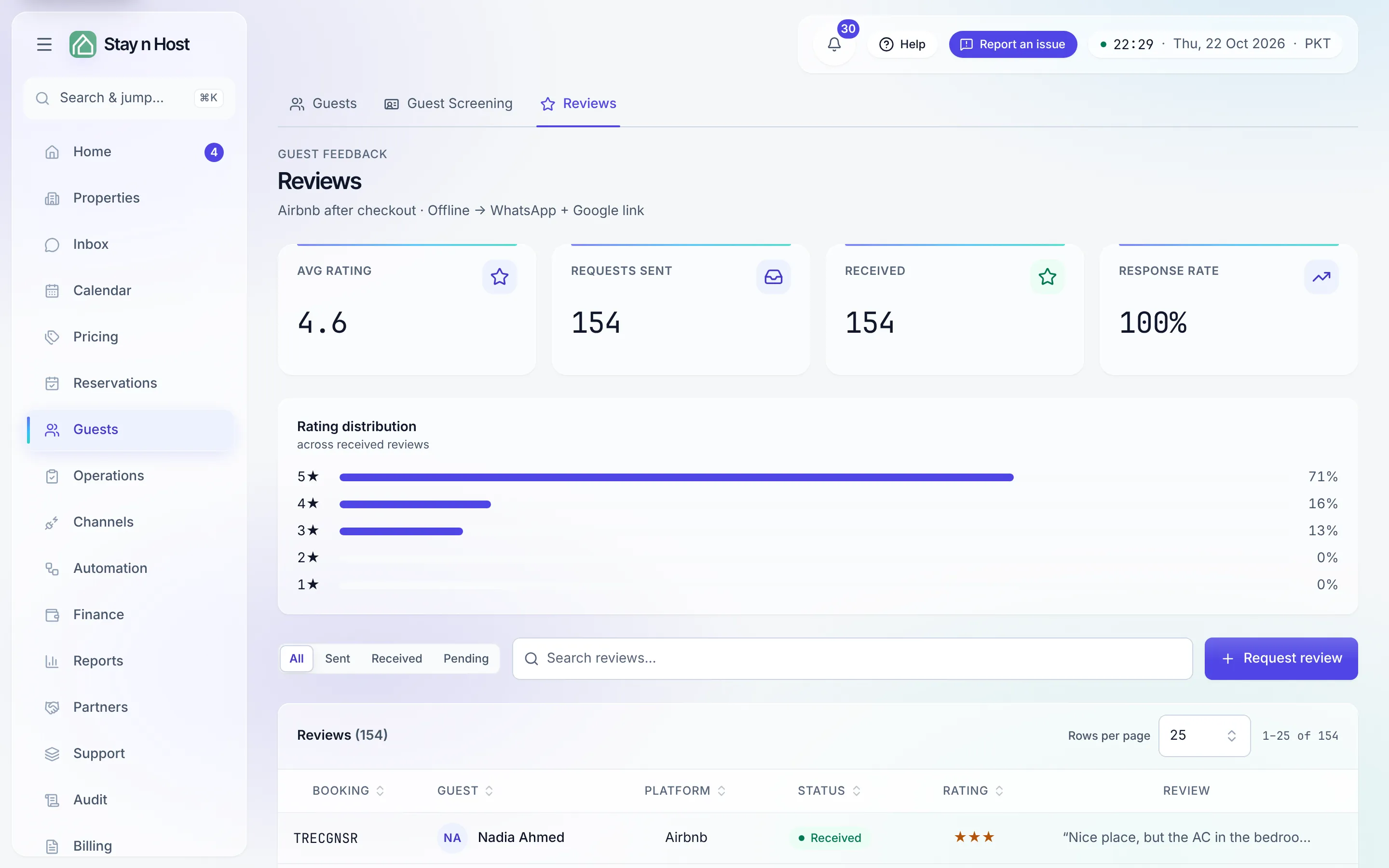
Request a review
Section titled “Request a review”-
On Reviews, press Request review. A review is only requestable once the guest has actually had the stay, at least in part.
-
Pick the Booking - the picker offers your reviewable stays.
-
Pick the Platform: Google, Airbnb, or Booking.com.
-
Press Create request. The request appears in the table with its status.
Work the board
Section titled “Work the board”The tiles track Avg rating, Requests sent, Received, and Response rate, with a rating distribution beside them. Each request moves through Requested → Sent → Received (or Skipped). On a row you can:
- Record rating - type in a rating (1–5) and optional text a guest left, when it arrived outside the product (a Google review, a WhatsApp reply).
- Skip - close a request you no longer expect an answer to.
Airbnb reviews sync in
Section titled “Airbnb reviews sync in”Reviews from a connected Airbnb channel arrive on their own, marked Synced from the channel. Two things you can do only on those:
- Review the guest - the Airbnb host-to-guest review (house rules, communication, cleanliness, recommend or not). Published once, and it cannot be edited later.
- Reply publicly - one public reply to the guest’s review, visible to future guests. Also permanent.