
Meet the Agent Hub
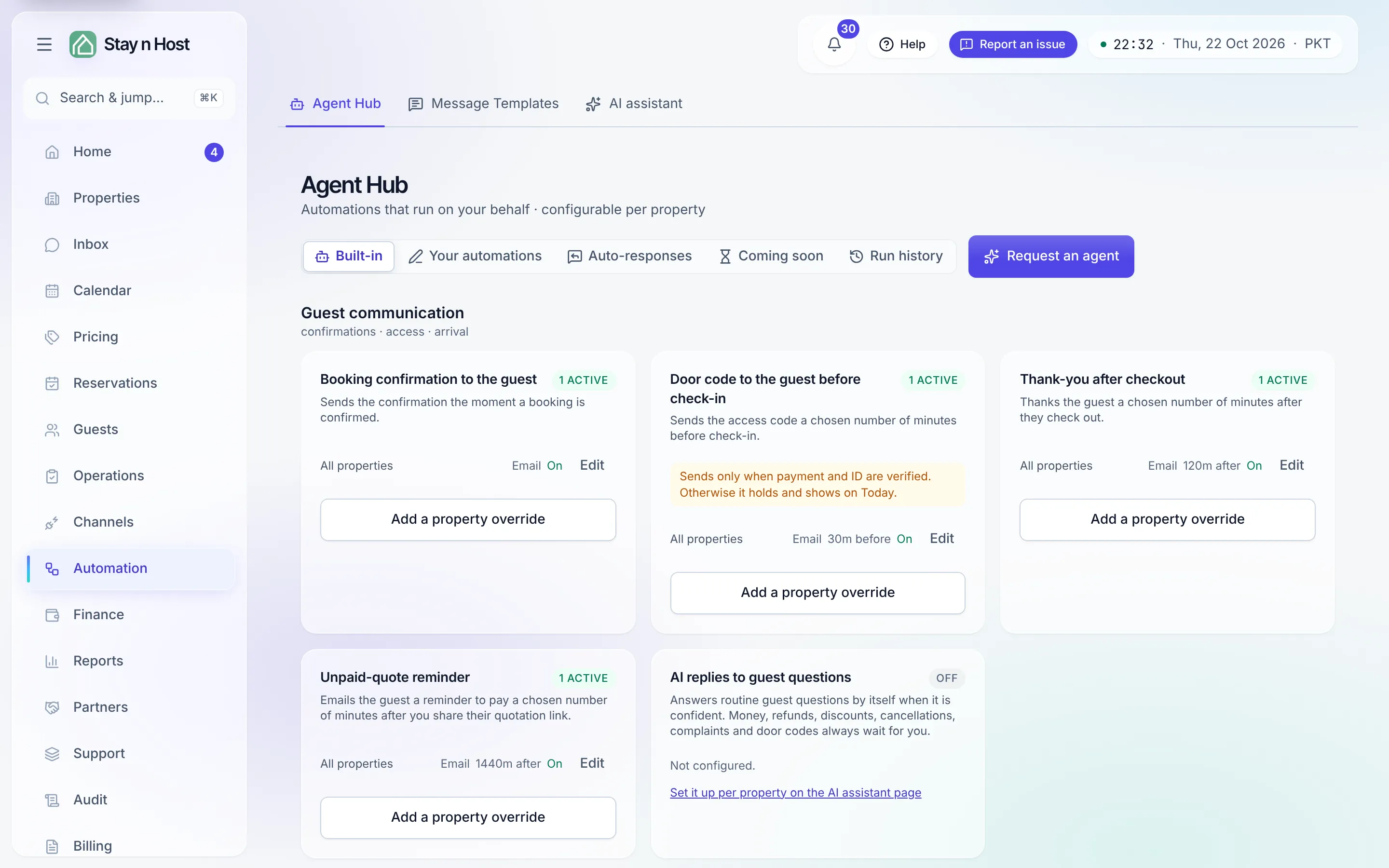
The Agent Hub (Automation → Agent Hub, /agents) holds
the automations that message guests and staff at the right moment, every time. It holds two kinds:
- Built-in automations, eight of them, each a card with its own settings. You configure “send the door code 30 minutes before check-in for Clifton Court”; the card knows what a door code is and which checks it must pass.
- Your own automations, which you write: pick a moment on the stay, pick who hears about it, and write what it says, one message or a whole sequence. See Create your own automation.
The tabs
Section titled “The tabs”The strip at the top of the hub switches between five views:
| Tab | What it holds |
|---|---|
| Built-in | The product’s own automations, grouped by audience. Each card is configured, never created or deleted. |
| Your automations | The automations your team wrote, plus the starter packs you can install and edit. |
| Auto-responses | One automatic reply per stage of the stay, for a guest who writes when nobody is at the desk. See Reply automatically out of hours. |
| Coming soon | Planned automations, shown so you can see what is on the way: Review responder, Message → task dispatcher, Check-in readiness, Calendar conflict detector, and Payment risk monitor. |
| Run history | Every run as a table: what fired, for whom, and what came of it. See Read the run history. |
At the top right, on every tab, sits Request an agent. When neither a built-in nor an automation you can write does the job, that button is how you ask for it - see Request an agent. Anyone who can open the hub can ask, including the seats that cannot configure automations.
The eight built-in automations
Section titled “The eight built-in automations”The Built-in tab groups them by audience:
| Group | Automation | What it does |
|---|---|---|
| Guest communication | Booking confirmation to the guest | Sends the confirmation the moment a booking is confirmed. |
| Door code to the guest before check-in | Sends the access code a chosen number of minutes before check-in, behind the payment-and-ID gate. | |
| Thank-you after checkout | Thanks the guest a chosen number of minutes after they check out. | |
| Unpaid-quote reminder | Reminds a guest to pay a quote, a chosen number of minutes after you share the quotation link. | |
| AI replies to guest questions | Answers routine guest questions by itself when it is confident. Set up per property on the AI assistant page, not on the hub. | |
| Reception & front desk | Today’s arrivals to reception | One digest each day at a chosen time, listing every arrival per apartment. |
| Same-day arrival alert to reception | Tells reception immediately when a booking confirms for an arrival today. | |
| Operations | Daily ops report to the operations team | The full midnight brief, and the place its audience is chosen. |
The AI replies card shows only to a seat that can open the AI assistant page, and the feature needs the AI messaging add-on.
What a built-in card is
Section titled “What a built-in card is”Each card shows the automation’s scopes and their state. An automation can be configured once for All properties (the workspace default) and overridden per property; a property’s own row replaces the default entirely - no field-by-field merging - and a property row switched Off stays off even when the workspace default is on. Pressing Set up (or Add a property override) opens the settings sheet: status (On/Off), the send channels, and whatever the automation itself needs - a send time, a lead time, extra recipients. Four of them (the booking confirmation, the door code, the thank-you after checkout and the same-day arrival alert) also take conditions under Which bookings.
Every rule sends by Email. Automations to the guest (the booking confirmation, the door code, the thank-you after checkout and your own guest automations) can also send on your workspace’s WhatsApp once it is connected; see Send guest messages on WhatsApp. The daily ops report has its own WhatsApp summary. Reception digests and the unpaid-quote reminder are email only. SMS appears in the picker but is marked “soon” - no SMS provider is connected yet.
Your own automations, and the built-ins as presets
Section titled “Your own automations, and the built-ins as presets”On Your automations, Write an automation opens a stepped composer. Its first step offers three ways in: a ready-made example from a starter pack, Write my own from scratch, or Or use a built-in. Picking a built-in does not copy it into a new automation: it opens that built-in’s own settings, so the same booking is never sent the same thing twice.
Below your list, Start from a pack offers starter packs (Confirmation and pre-arrival, After the stay, Front-desk heads-up). Install adds a pack’s messages switched off, for you to read and edit before anything sends. The full walkthrough: Create your own automation.