
Work the payables calendar
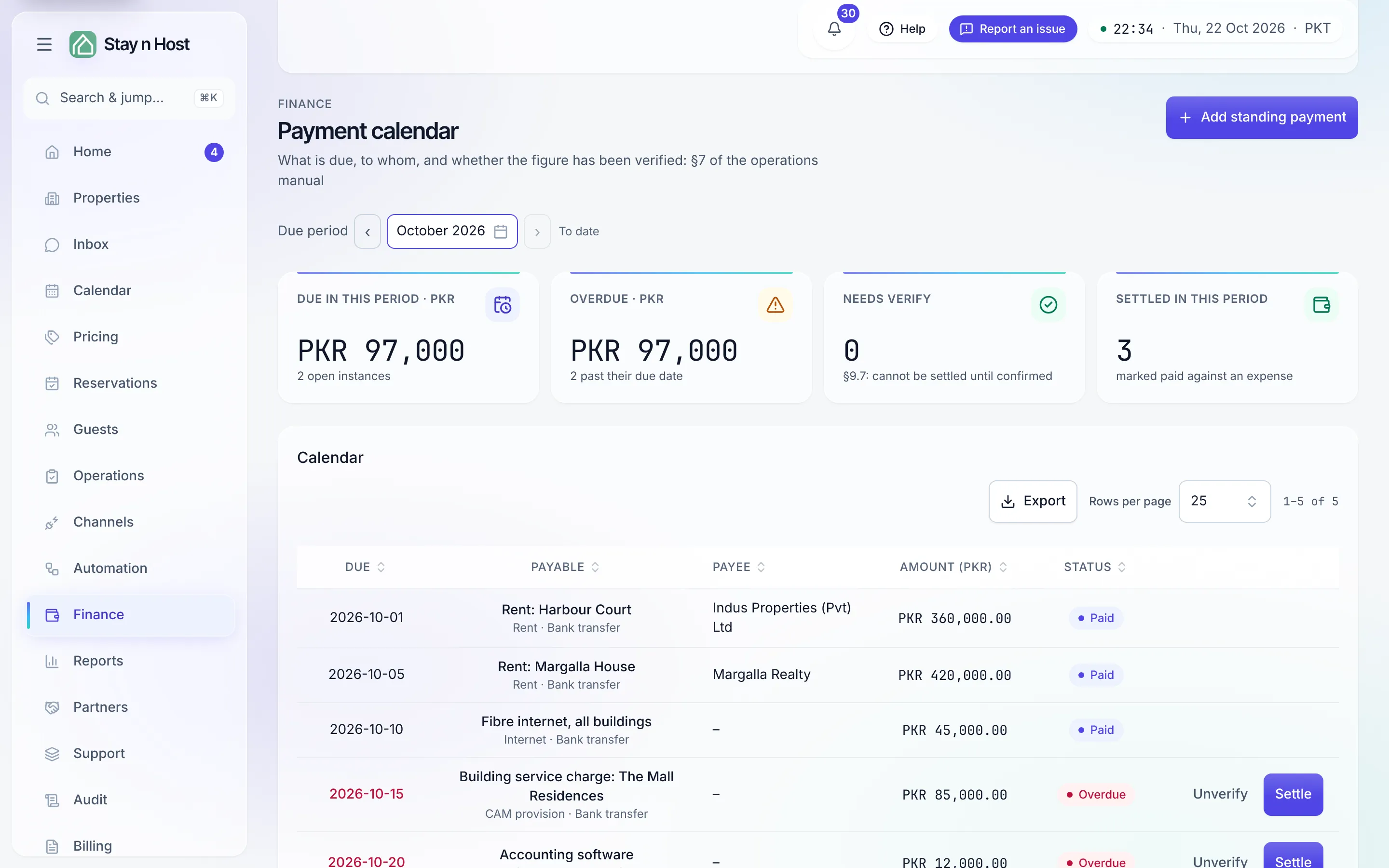
The Payment calendar turns what you owe on a schedule - rent, salaries, utilities - into rows with due dates. Each period generates its instance automatically; you verify the figure, pay it in your bank, and settle the row. Open it from Finance -> Payables.
Set up a standing payment
Section titled “Set up a standing payment”-
Click “Add standing payment.” Name it recognisably (“Rent - Zeta 11C”), pick its kind (rent, salary, utility, internet, software, CAM provision, supplies, other) and the route it’s paid by (bank transfer, Raast, or cash via staff).
-
Attach a payee and property if it belongs to one - the payee links to the payee directory.
-
Set the amount, due day (1–28), and cadence (monthly, quarterly, every six months). Leave the amount blank for a variable payment - a utility bill’s figure is supplied when you settle it.
-
Optionally, raise the bill automatically. Pick an Expense category and tick Raise a bill automatically when it falls due. Each time an instance falls due, the cost is booked as an unpaid bill in the month it belongs to, so the P&L and break-even count it even if nobody records it by hand. It pays nothing: you still settle the row below. It needs a fixed amount and a category, and it is off by default so a cost you already record by hand is never counted twice.
-
Save. Instances generate for this month and the next, and keep generating.
The verify-before-pay rule
Section titled “The verify-before-pay rule”A payable whose figure is flagged Needs verify refuses settlement - full stop. An Admin confirms the figure with Verify on the row (or flags a doubtful one back with Unverify). The KPI band counts what’s due this period, what’s Overdue, and how many rows still need verification.
Settle an instance
Section titled “Settle an instance”-
Pay it in your bank first. Settling records a fact - it does not move money.
-
Click “Settle” on the row. Enter the amount actually paid and, optionally, the bank reference and the expense that carries the outflow.
-
Click “Mark settled.” The row turns Paid. Use Skip this period for an instance that genuinely doesn’t apply this time.
Export on the calendar downloads it as CSV, Excel or PDF; a variable payment with no figure yet says so in the file instead of showing a zero.
What’s next
Section titled “What’s next”- Manage payees
- Record an expense - the outflow a settlement links to