
Send events to other systems with webhooks
A webhook sends a message to a web address of yours whenever something you choose happens in your workspace: a booking is confirmed, a payment is verified, a cleaning is finished. It is how Zapier, Make and your own systems hear about changes without asking over and over.
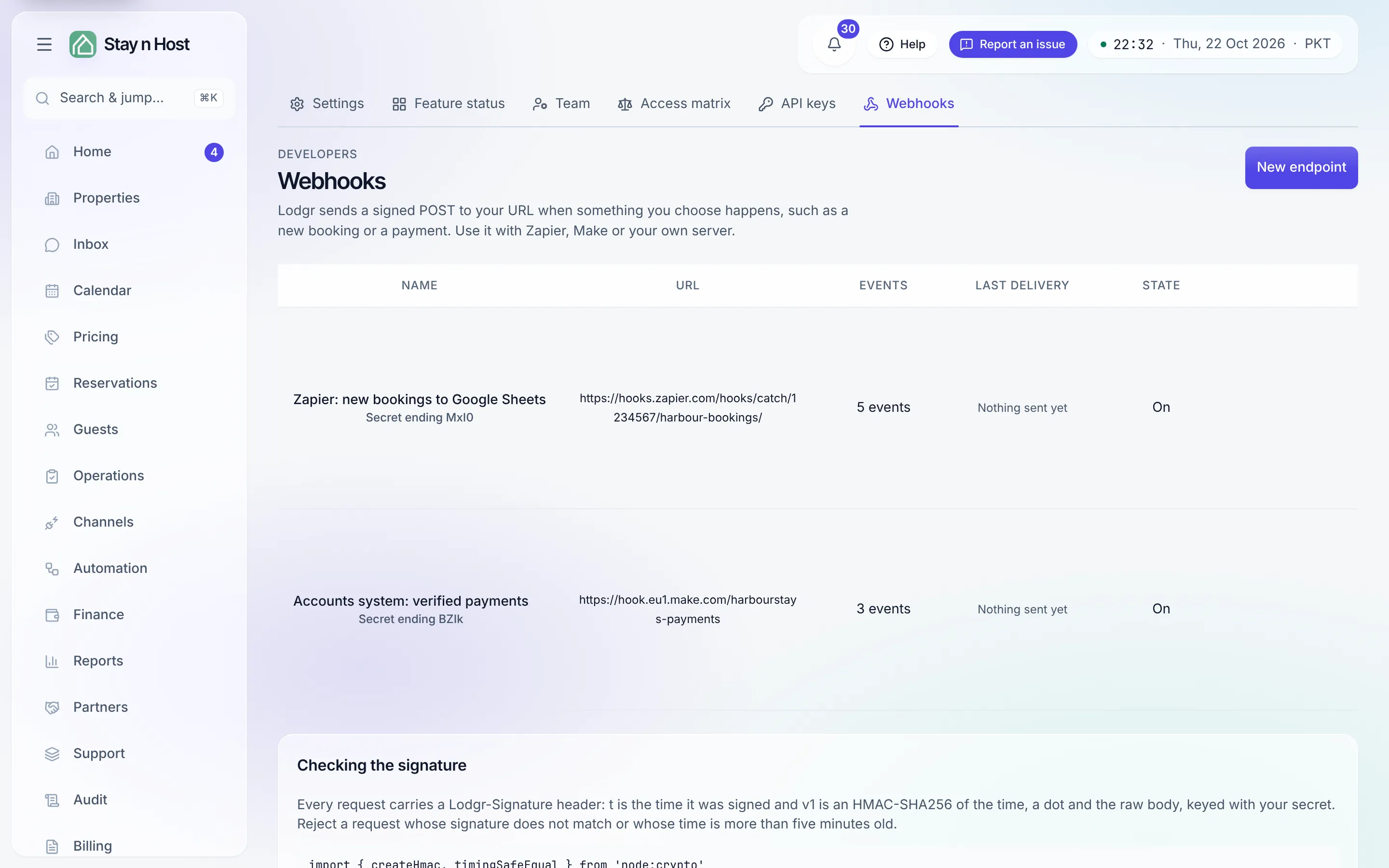
Add an endpoint
Section titled “Add an endpoint”-
Open Setup, then Webhooks, and click “New endpoint”.
-
Give it a name and paste the URL that should receive the events. It must start with
https://and be on the public internet. -
Tick the events. They are grouped: bookings and enquiries, payments and refunds, guests, housekeeping, properties and prices, guest messages, and finance. All and None work per group.
-
Decide about personal details. Turn on Leave out personal details and each message carries only the event, its time and the ids; your system then fetches what it needs with an API key.
-
Click “Add endpoint”, then copy the signing secret. It is shown once. Your receiver uses it to check that a message really came from Stay n Host.
Connect Zapier or Make
Section titled “Connect Zapier or Make”- Zapier: create a Zap with the trigger Webhooks by Zapier → Catch Hook, copy the URL Zapier gives you, and paste it as the endpoint URL above. Click Send a test on the endpoint so Zapier sees a sample.
- Make: add the Webhooks → Custom webhook module, copy its address, and paste it as the endpoint URL. Click Send a test while Make is listening.
What a message looks like
Section titled “What a message looks like”Each event is one POST with a JSON body:
{ "id": "6b0f…", "type": "booking.confirmed", "occurredAt": "2026-10-05T10:00:00.000Z", "workspaceId": "…", "object": { "type": "booking", "id": "…" }, "data": { … }}id is the event’s own id. A retry of the same event carries the same id, so your
system can ignore one it has already handled. With Leave out personal details on,
data is null.
The headers say which event it is (Lodgr-Event), which delivery it is (Lodgr-Delivery),
and carry the signature (Lodgr-Signature).
Check the signature
Section titled “Check the signature”Lodgr-Signature looks like t=1791230400,v1=5f2a…. t is when it was signed, and v1
is an HMAC-SHA256 of the time, a dot and the raw body, keyed with your signing secret.
Reject a message whose signature does not match or whose time is more than five minutes
old:
import { createHmac, timingSafeEqual } from 'node:crypto'
// rawBody: the request body exactly as received, before any JSON parsing.function isFromLodgr(rawBody, signatureHeader, secret) {  const parts = Object.fromEntries(signatureHeader.split(',').map((p) => p.split('=')))  const age = Math.abs(Date.now() / 1000 - Number(parts.t))  if (!/^[0-9a-f]{64}$/.test(parts.v1 ?? '') || age > 300) return false  const expected = createHmac('sha256', secret).update(`${parts.t}.${rawBody}`).digest('hex')  return timingSafeEqual(Buffer.from(expected, 'hex'), Buffer.from(parts.v1, 'hex'))}
Click New secret on an endpoint to replace its signing secret; the old one stops working at once.
Retries and the delivery log
Section titled “Retries and the delivery log”Your URL should answer with any 2xx status within ten seconds. If it does not, the
message is tried again after 1 minute, then 5 and 15 minutes, 1, 3, 6 and 12 hours and a
day: nine tries in all. Redirects are not followed.
Click an endpoint to open its delivery log: every message with its status, number of tries and your server’s answer. Click a delivery to see the exact body that was signed and sent, and Send again to resend it after you fix your receiver. The log keeps 30 days.