
Screen a guest's ID
Every stay can carry an identity check. A verified ID is one half of the dual gate that releases the door code (the other half is payment), so screening early keeps arrival day calm.
-
Start the check. On the booking’s Guest screening tab, press Request ID documents. The check opens as Docs requested. The default ask is the national ID; for a foreign guest use Passport needed, and for a couple with an address mismatch add MRC needed (marriage certificate). Requesting from the screening queue offers the same requirement choices up front.
-
Send the guest their upload link. Press Share ID upload link. The app mints a secure link the guest opens with no account, and offers WhatsApp and Email buttons that open your own composer with the message pre-written. Nothing is ever sent on your behalf.
-
Capture what comes back. Uploads from the guest land on the check; you can also add photos yourself and type the ID number. The number is stored securely and masked after saving - it never appears in reports or logs.
-
Review and decide. With documents in, the check reads Ready for review. Open each document (preview links expire after about two minutes), then press Mark verified - the dialog reminds you this clears the ID half of the door-code gate - or Reject, which closes the check as failed and keeps the door-code path blocked.
The screening queue
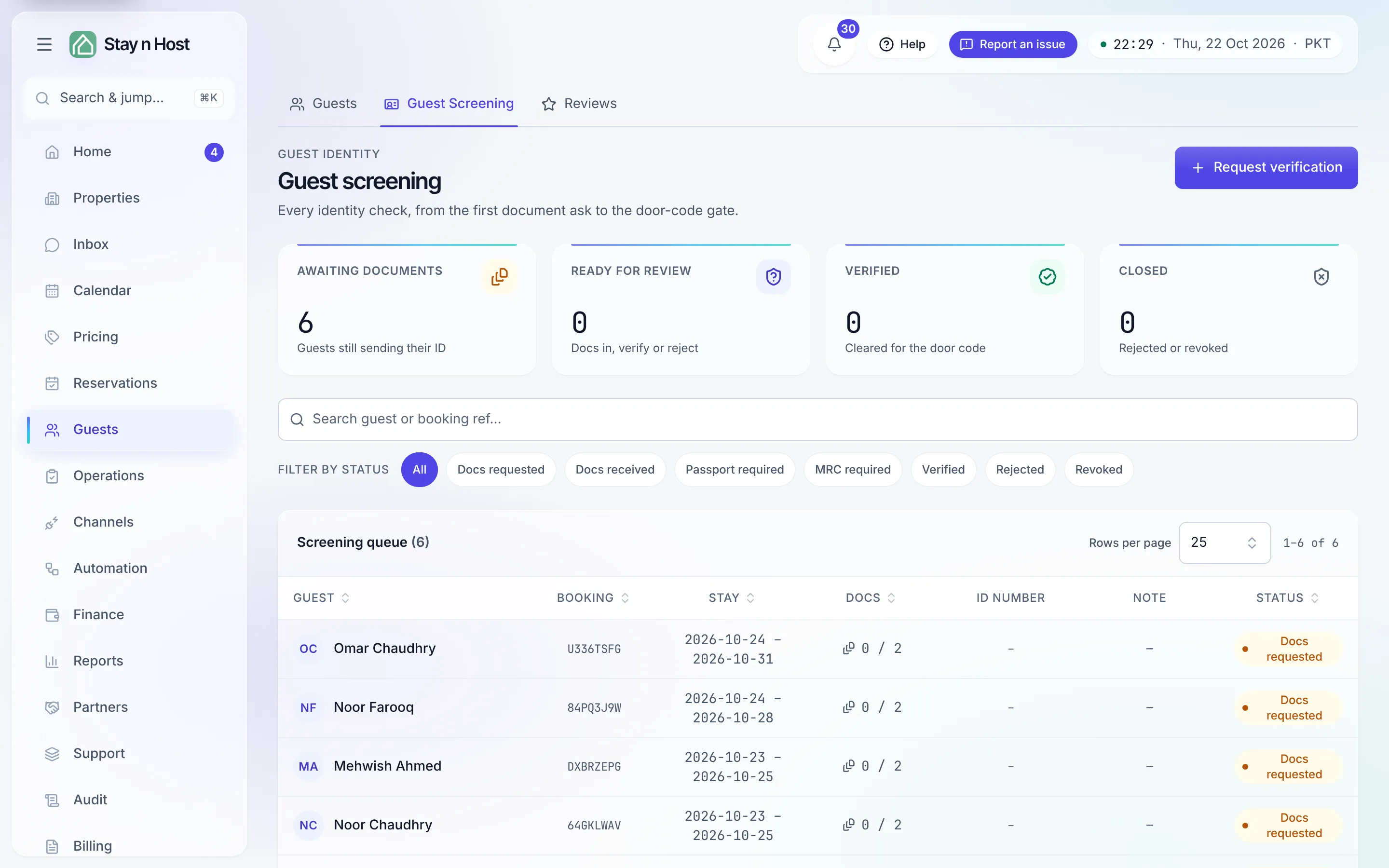
Section titled “The screening queue”The Guest screening page collects every check across all bookings, with one-tap filters: Awaiting documents, Ready for review, Verified, and Closed. You can start a check from here too, with Request verification. At the bottom, Cleared for the door lists each upcoming stay’s payment × ID gate state.
Shortcuts and edge cases
Section titled “Shortcuts and edge cases”- Already verified on an earlier stay? The panel offers Carry forward - you confirm it is the same person, and this stay counts as verified with no new documents.
- Several guests on one booking? Use Add guest to open a check per person. The booking becomes ready once every guest is verified or skipped.
- Skipping: Skip verification moves the booking to Ready for check-in without a verified ID - but the door code still will not release automatically, so use it only for a manual check-in.
- Revoking: if a verified ID turns out fraudulent or expired, Revoke verification requires a reason and lands on the audit trail.