
The reservations list
Every reservation lives in one place: Reservations -> Reservations. Inquiries, bookings, past stays and extensions are not separate pages any more; they are stages of the same list, and each reservation, inquiry or booking, opens at one address.
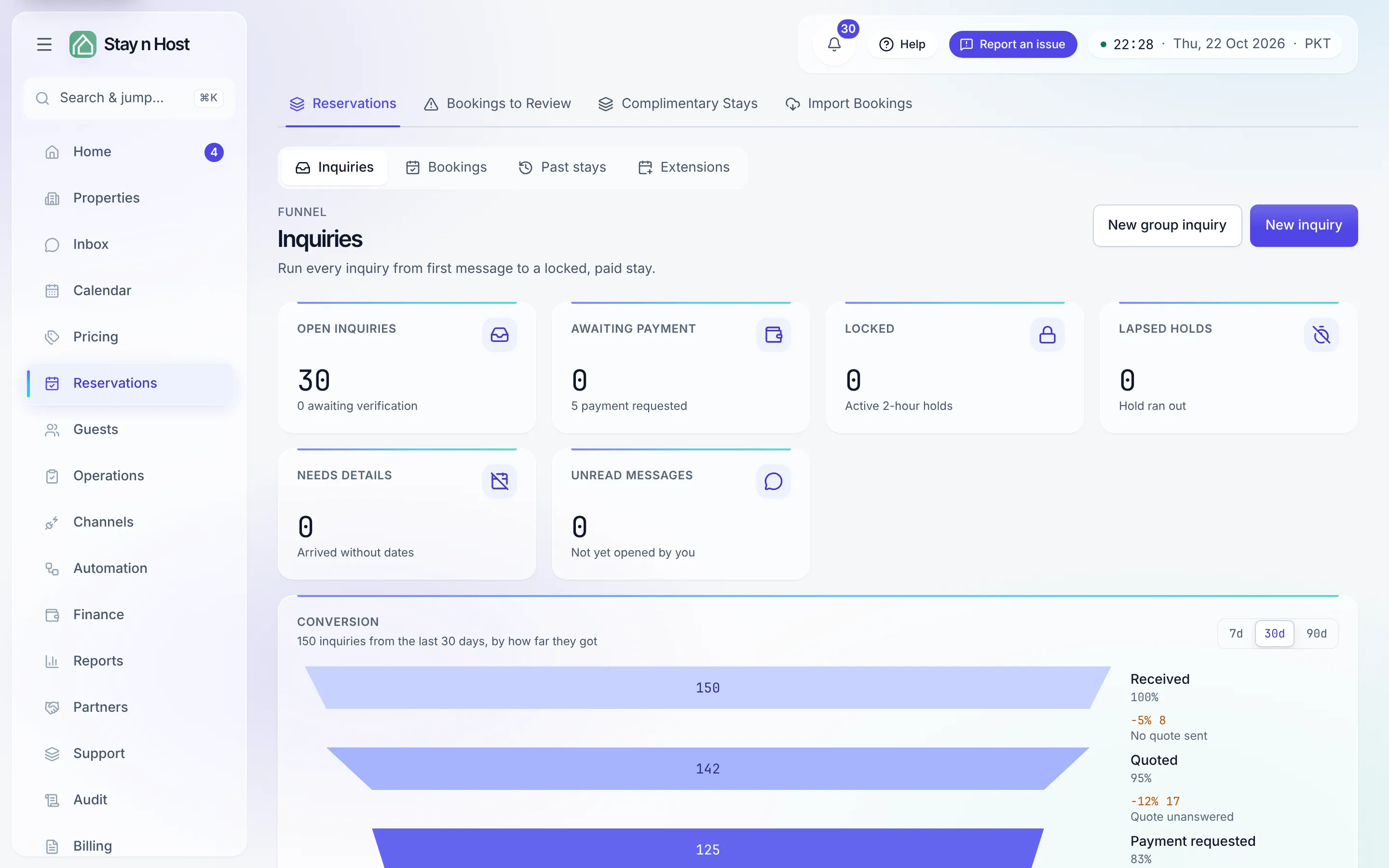
The stage control
Section titled “The stage control”At the top of the page, the stage control picks what the list shows:
| Stage | What it holds |
|---|---|
| Inquiries | The funnel: every inquiry from first message to a locked, paid stay, with its tiles, the conversion funnel, New inquiry and New group inquiry. |
| Bookings | Upcoming and in-house stays that still need something from you, with New booking and New group. |
| Past stays | The archive: checked out, completed, cancelled and no-shows. |
| Extensions | Add-nights requests and their approvals, with Extend a stay. |
Each stage is its own address (/reservations?tab=inquiries, ?tab=bookings,
?tab=past-stays, ?tab=extensions), so you can bookmark it or open it from the command
palette. A stage your role cannot open is simply not offered. The old addresses -
/inquiries, /bookings, /past-stays and /extensions - forward to their stage with
any filters they carried, so old bookmarks and links keep working.
The rest of the Reservations hub sits beside the list as its own pages: Bookings to Review (channel bookings waiting on a decision), Complimentary Stays and Import Bookings.
One address per reservation
Section titled “One address per reservation”Open any row and the reservation’s record opens at /reservations/<id>, whether it is an
inquiry or a booking. The inquiry keeps its tabs (Overview, Payment screenshots, Send to
guest, Messages) and the booking keeps its
eight tabs. Old record links -
/inquiries/<id>, /bookings/<id>, /bookings/<id>/<section> - forward to the same
record.
The lifecycle rail
Section titled “The lifecycle rail”Above the record’s tabs, a rail shows where the reservation is on one path:
Inquiry -> Quoted -> Payment requested -> Locked -> Confirmed -> In house -> Checked out
Two endings leave the path early: Closed (an inquiry that ended without a booking) and Cancelled (a booking that was cancelled or marked a no-show). A booking that was never an inquiry - a direct booking, an import, a channel booking - starts its rail at Confirmed, because the earlier steps never happened.
Under the rail, a Next line says what happens next, for example “Verify the payment to confirm the booking.” or “Verify the guest’s ID before they arrive.”, with a Go there link to the tab where you do it.
The inquiry and its booking, side by side
Section titled “The inquiry and its booking, side by side”An inquiry that became a booking names it: a Booking chip beside the inquiry’s Ref shows the booking’s reference and opens it. The booking does the same the other way, with an Inquiry chip. Bookings that never had an inquiry behind them show no chip.
When a teammate changes it
Section titled “When a teammate changes it”If someone else changes the reservation while you have it open, a banner says “Someone else changed this reservation.” with a Refresh button. The page never reloads by itself over something you are typing.
Deep links
Section titled “Deep links”Notifications and other screens open a record straight at the right area:
| Link | Opens |
|---|---|
/reservations/<id>/payments |
The Payments tab (an inquiry’s payments too) |
/reservations/<id>/refunds |
The Refunds panel on the Payments tab |
/reservations/<id>/folio |
The payment history on the Payments tab |
/reservations/<id>/screening |
The Guest screening tab |
/reservations/<id>/access |
The Access codes tab |
/reservations/<id>/messages |
The Messages tab |
/reservations/<id>/turnover |
The Turnover tab |
/reservations/<id>/history |
The History tab |
A section the app no longer recognises still opens the record, just on its first tab.