
Charge a guest for extras
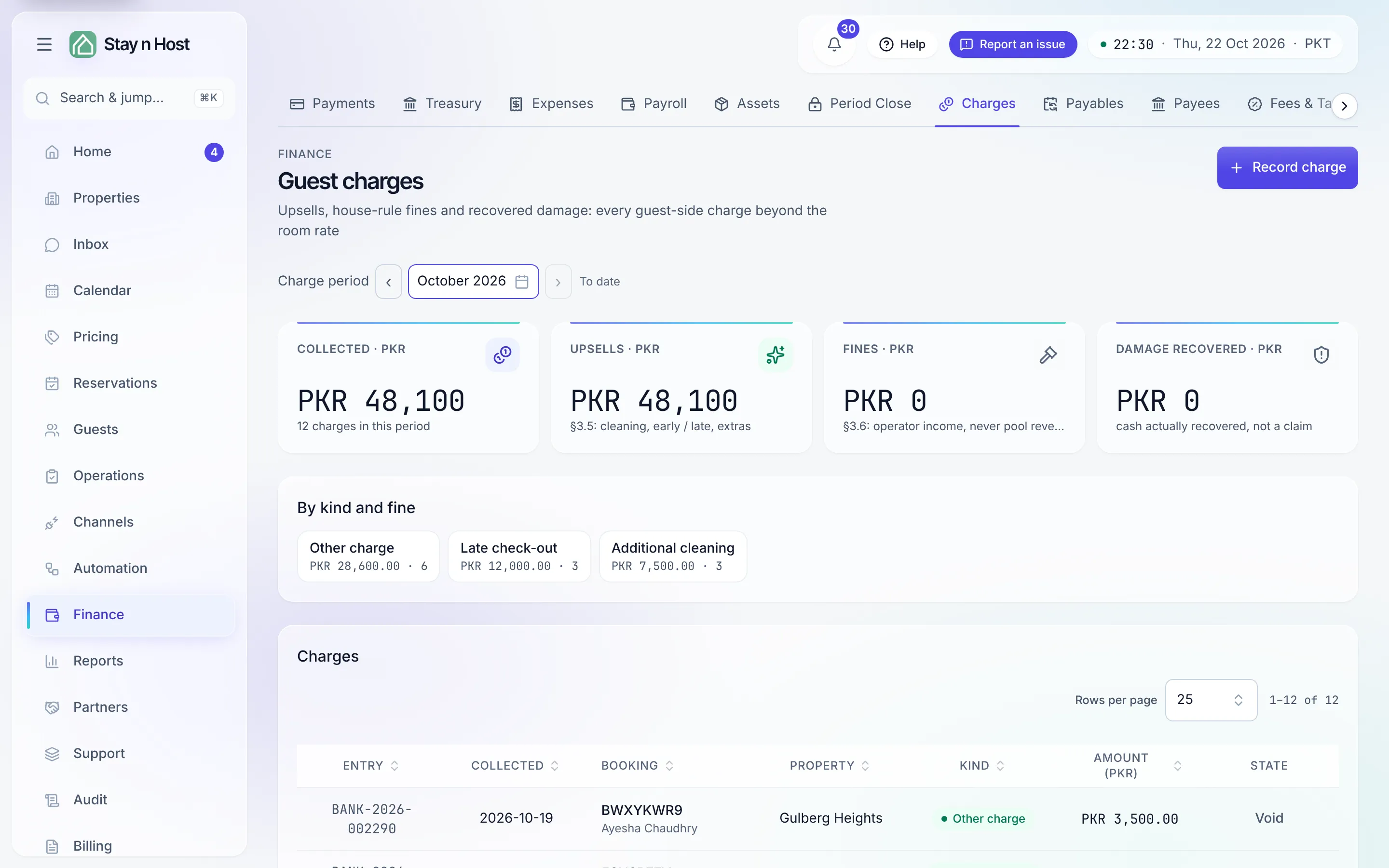
The Guest charges page (Finance -> Charges) is the income side beyond the nightly rate: upsells, house-rule fines, and damage you actually recovered. A charge posts to the ledger the moment it’s recorded - a charge with no collected cash is a note, not a charge.
Record a charge
Section titled “Record a charge”-
Click “Record charge.” Pick the booking the money belongs to.
-
Pick the kind. Upsells (additional cleaning, early check-in, late check-out, extra guest), any fine from your own fine book, Damage recovery, or Other.
-
Pick the account it was collected into - the till or bank account that received the cash.
-
Confirm the amount. Picking a fine pre-fills its configured figure; you can adjust it (a reduced fine is still that fine on the enforcement record). Add a memo if the receipt needs context, then click Record charge.
The page’s tiles split the period’s income into Upsells, Fines, and Damage recovered, and the “By kind and fine” chips filter the table to one bucket.
Keep the fine book current
Section titled “Keep the fine book current”The House-rule fine book is what makes charging a violation pick-and-confirm instead
of remembering figures. Add fine takes a key (lowercase, e.g. party), a name, and
an amount; the key can’t change later. A property-level row overrides the workspace row
for that property - the server always charges the governing figure for the booking’s
property.
Undo a mistake
Section titled “Undo a mistake”A wrong charge is voided, never deleted. Click Void on the row, give the reason (required), and a reversing entry posts - the money comes back out of the account it went into and both entries stay on the books. The row remains visible, struck through, with the reason.