
Import bookings from a spreadsheet
Import Bookings (Reservations -> Import Bookings) takes a year of history (or a season of future stays) from any spreadsheet, in five steps. Nothing is written until you commit, and money is never part of the import itself.
-
Paste your rows - a copied selection or an uploaded CSV, header row included; any column layout works. No file yet? Download template hands you one whose columns auto-match; only Unit, Check-in, and Check-out are required. Press Read the rows.
-
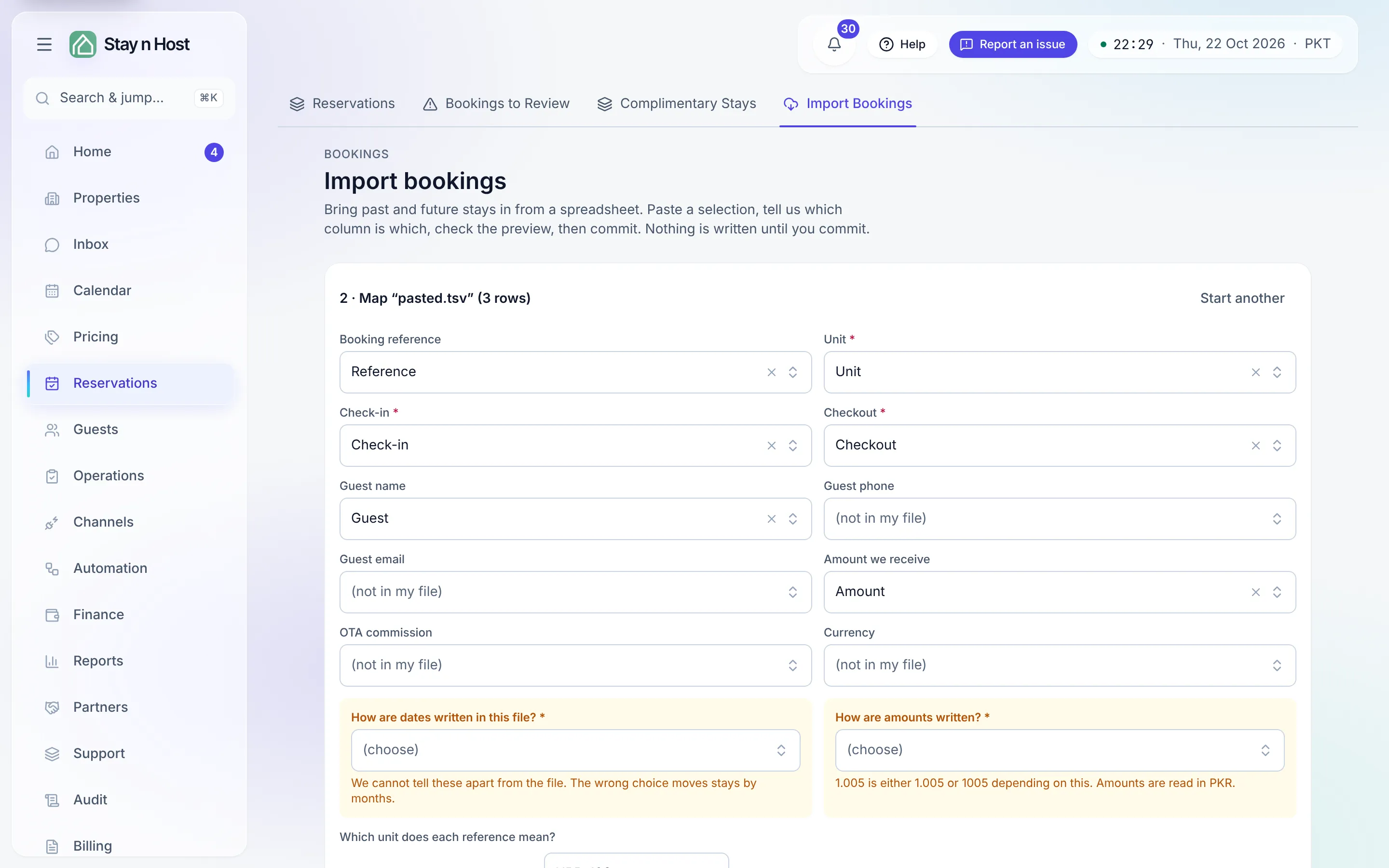
Map the columns. Tell the importer which column is which, then answer the two questions it refuses to guess: How are dates written in this file? (day-first, month-first, or year-first - “The wrong choice moves stays by months”) and How are amounts written? (dot or comma as the decimal point). Then confirm which unit each reference means - each distinct name in your file gets a suggested unit you must confirm; anything left unmapped is skipped. Press Check the rows.
-
Read the preview. Every row gets a verdict - ready, or skipped with exactly why. Fix the mapping and re-check until the ready count looks right. Amounts are stored against each row, but importing creates no payment or ledger entry.
-
Commit. Press Import N bookings. This is the step that writes bookings - they appear on the Bookings and Past stays stages of Reservations, and on the Calendar, each carrying its original reference as Imported as.
-
Post the money - separately. Choose the date your books start from (Post money for stays from), read the dry run - each row shows what would post, what it counts as (your revenue, owed to a property owner, or an investor pool), or why it is skipped - then press Post N payments. OTA commission is shown as excluded, never quietly dropped, and posting twice posts nothing twice.