
Keep your own site - the widget and the Google feed
Publishing a Stay n Host booking site is not all-or-nothing. If you already have a brand site you like, you can keep it and take only the part that has to be live: availability.
The embeddable widget
Section titled “The embeddable widget”One <script> tag on your existing WordPress, Squarespace or hand-built site renders an
availability search that hands the guest to your Stay n Host booking site with their
dates already carried over.
-
Open Channels → Booking website (
/site) and find the embed snippet. -
Paste it into your own page where you want the search to appear.
-
Publish your own page. That is the whole installation.
What the widget does on your page, stated exactly, because it runs on a site whose visitors did not consent to us:
- It reads no part of your page outside its own container.
- It sets no cookie and stores nothing.
- It sends no analytics beacon.
- It loads no font, stylesheet or image from anywhere.
It collects dates and a party size and builds a link. Every value is re-checked on our side and every price is re-derived, so a visitor who edits the form in their browser achieves nothing they could not achieve by typing a different address.
The Google Vacation Rentals feed
Section titled “The Google Vacation Rentals feed”Your published properties are also exposed as a Google Vacation Rentals property feed, which is how Google learns your inventory exists. There is nothing to switch on: every published site serves one, and Channels → Booking website shows you its address and names any properties it cannot carry. The feed carries your properties and their descriptions, never prices or availability.
Get listed on Google Vacation Rentals through the channel manager
Section titled “Get listed on Google Vacation Rentals through the channel manager”Google Vacation Rentals connects on Channels → Channels like any other channel, and it is live. Unlike Airbnb and the other marketplaces, Google does not take the booking itself: it sends the guest to your booking site, so a Google stay arrives as a direct booking. Google takes the price in the property’s own currency, so every workspace currency works.
-
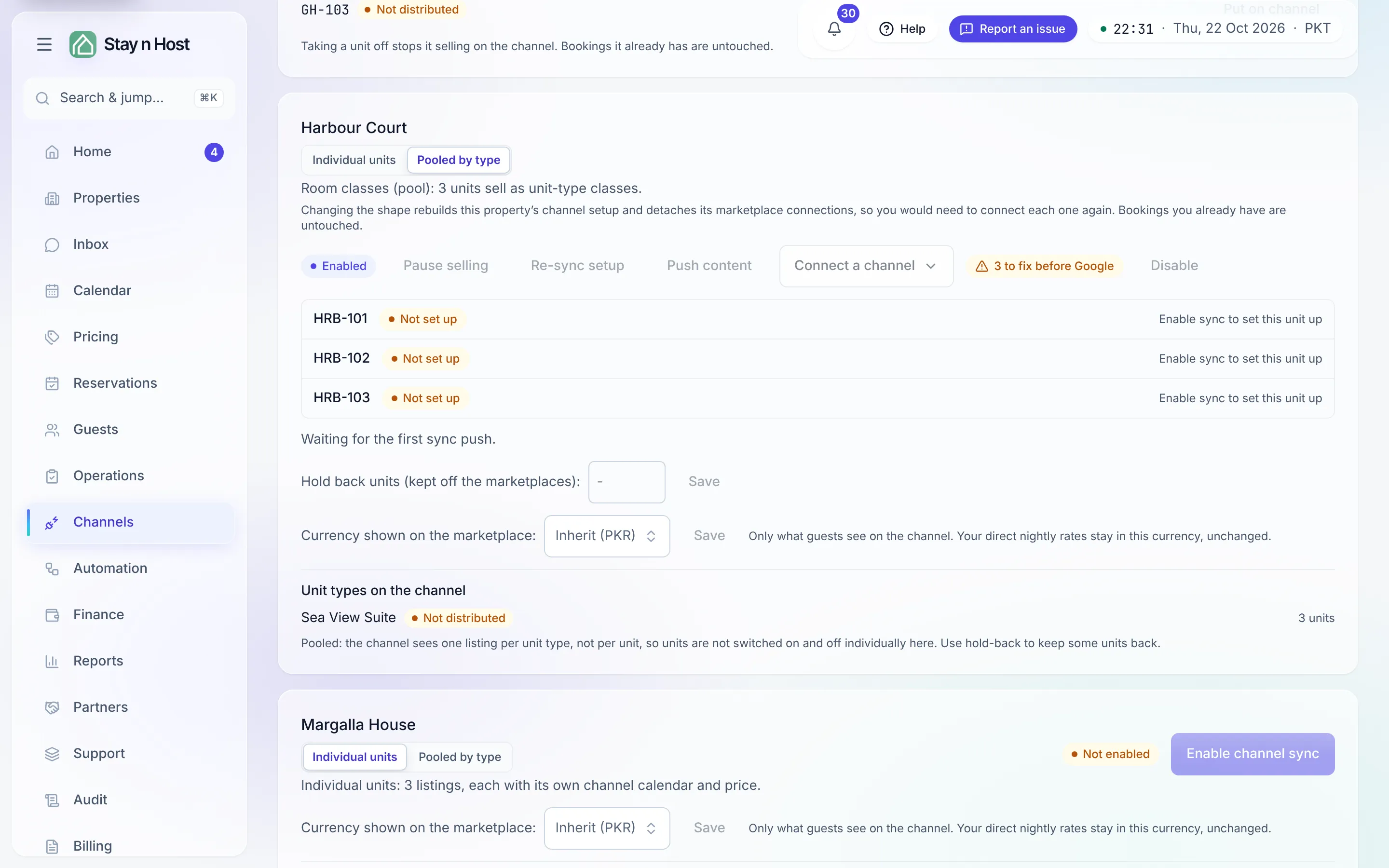
On the property’s row, check the readiness line beside Connect a channel before you press it. Ready for Google means everything Stay n Host can check is in place; N to fix before Google means Google will not activate the listing yet. The line links to the property’s Channels tab, where Show checklist lists each gap.
-
Fill in what the checklist names. Google only reviews new properties about once a week, so a gap found after you connect costs weeks, not minutes. A few values are set in the channel manager itself; the checklist gives you the values to enter there.
-
Pick Connect Google Vacation Rentals from Connect a channel (or the button under Channel accounts) and complete the sign-in and mapping inside the page.
-
The booking link. Leave it to the channel manager: tick its booking-engine option and it generates the link once the channel is created and enabled. Only if you have your own Google Hotel Center (which Google grants from around 500 properties) open I have my own Google Hotel Center in the checklist and paste the link it shows, exactly, brackets included.
Allow around four weeks after you connect for Google to review and activate a new property.
Which to choose
Section titled “Which to choose”| Situation | Do this |
|---|---|
| You have a brand site you are happy with | Embed the widget. |
| Your site is a brochure you have been meaning to replace | Publish the booking site and point your domain at it. |
| You want both | Publish the booking site, embed the widget on the old one, and redirect when you are ready. |