
Handle bookings held for review
Most channel events, from Airbnb, Booking.com, Expedia, Agoda and Vrbo alike, apply themselves. Anything that changes money, conflicts with an existing booking, or cancels a stay is held on Bookings to Review (Reservations → Bookings to Review) for a person - because those are exactly the events where an automatic write could move money or nights you would not have moved.
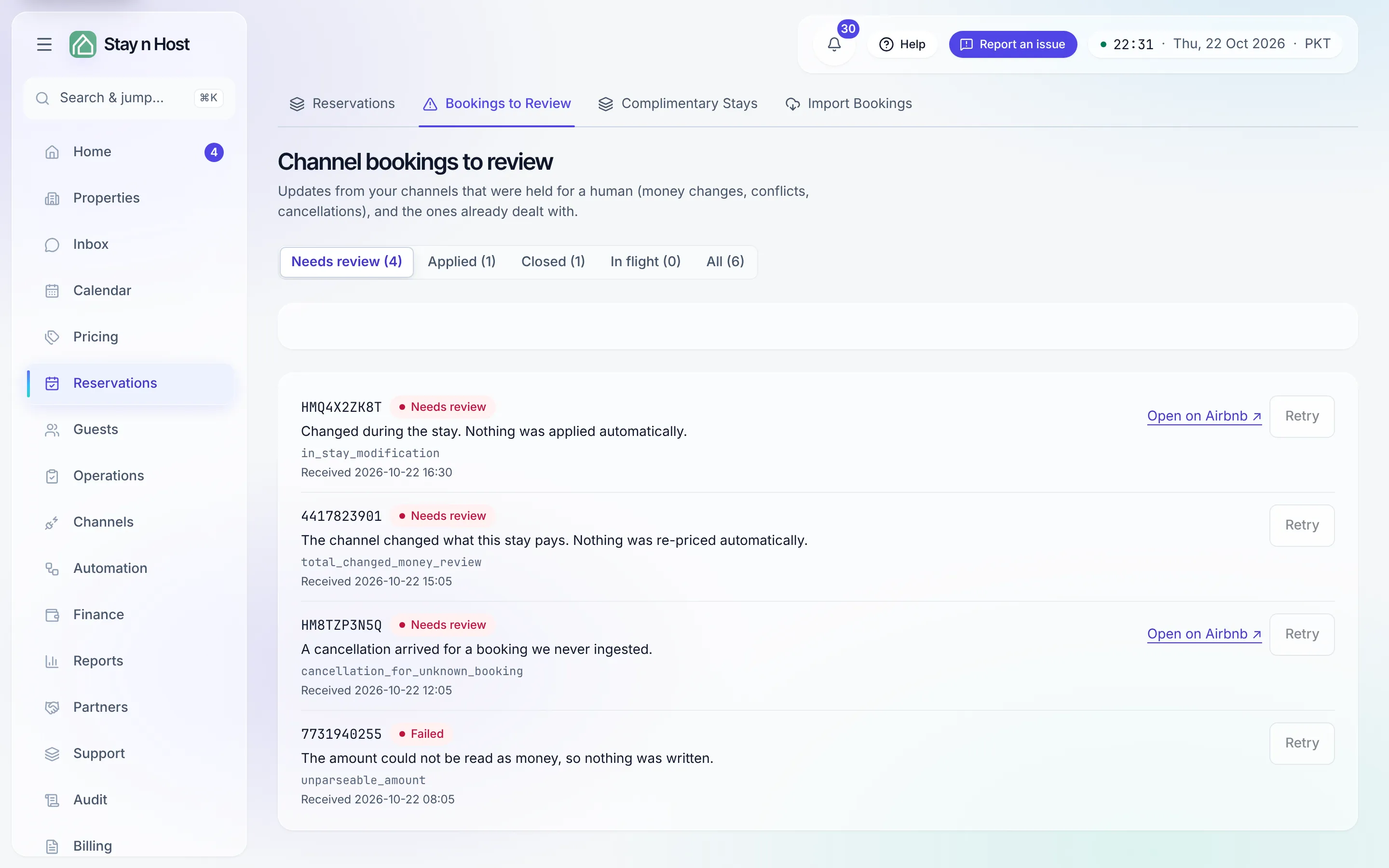
-
Start on the “Needs review” filter - it is the morning question. The other chips (Applied · Closed · In flight · All) are history: a retried event moves to Applied, so “what happened to that booking last week” stays answerable.
-
Read the reason on the row. It is written in plain words - the most common ones are below.
-
Act where the action is. Open booking → takes you to the affected booking; Open on Airbnb ↗ takes you to the reservation on the channel - accepting or declining a reservation request, and accepting an alteration, genuinely finish on Airbnb, because the channel offers no API for them.
-
Click Retry once the underlying issue is fixed (for example, after resolving a date conflict). A retry that fails says so; the row never silently pretends it worked.
What the reasons mean
Section titled “What the reasons mean”- Guest cancelled - the nights were released automatically; the refund is yours to make. Money never moves on its own.
- Cancelled during the stay - the nights were not released; decide manually.
- The channel changed what this stay pays - nothing was re-priced automatically.
- The new dates collide with another booking - resolve the conflict, then retry. The stay keeps its old nights until the conflict is resolved.
- The channel changed who collects the payment - nothing was moved automatically.
- The stay is in another currency and there is no exchange rate for today - nothing was written; add the rate, then retry.
- The channel’s fee could not be read, or is as large as the whole stay - nothing was written.
- The booking came from a channel this workspace cannot record bookings from.
A cancelled stay that you were collecting and nobody had paid anything for closes on its own: there is no money to reverse.
- A cancellation arrived for a booking we never ingested, a multi-room reservation, missing stay dates, or an unreadable amount - nothing was written; investigate first.
What’s next
Section titled “What’s next”- What syncs, and which way - the routine flow this queue is the exception to.
- The count of waiting items also shows on the Channels page’s “Channel bookings to review” card, even at zero.