
Housekeeping & operations
Everything physical about running the units lives here. Most of it sits under the Operations hub (Housekeeping, Maintenance, Lock Codes, Access, Duty Roster); guests and reviews sit under Guests, and the guest app under Channels.
| Screen | What it’s for |
|---|---|
| Housekeeping | The turnover board - tabs for Cleaning, Inspections, Damage, and Upcoming. |
| Maintenance | Repair tickets by status, priority and assignee, reported from the office or a cleaning. |
| Duty Roster | Who’s on shift and on call, per day. |
| Lock Codes | The tenant-wide ledger of every door code relayed - who got what, when, for which stay. |
| Smart locks (on Lock Codes) | Connect TTLock or Nuki so every stay gets its own code on the lock. Included on every plan. |
| Guest Screening (Guests hub) | The ID-verification queue, and the dual-gate table behind the door codes. |
| Guests (Guests hub) | Profiles, stay history, flags, blacklist, duplicate merge. |
| Reviews (Guests hub) | Guest reviews and review requests across Airbnb, Google, and Booking.com. |
| Access | Every unit’s Wi-Fi, door and arrival instructions in one table, with bulk Wi-Fi rotation. |
| Cleaning rules (a property’s Settings tab) | Stayover and deep cleans planned for you, set per property. |
| Guest app (Channels hub) | Configure the self-service app guests use for check-in, Wi-Fi, and door opening. |
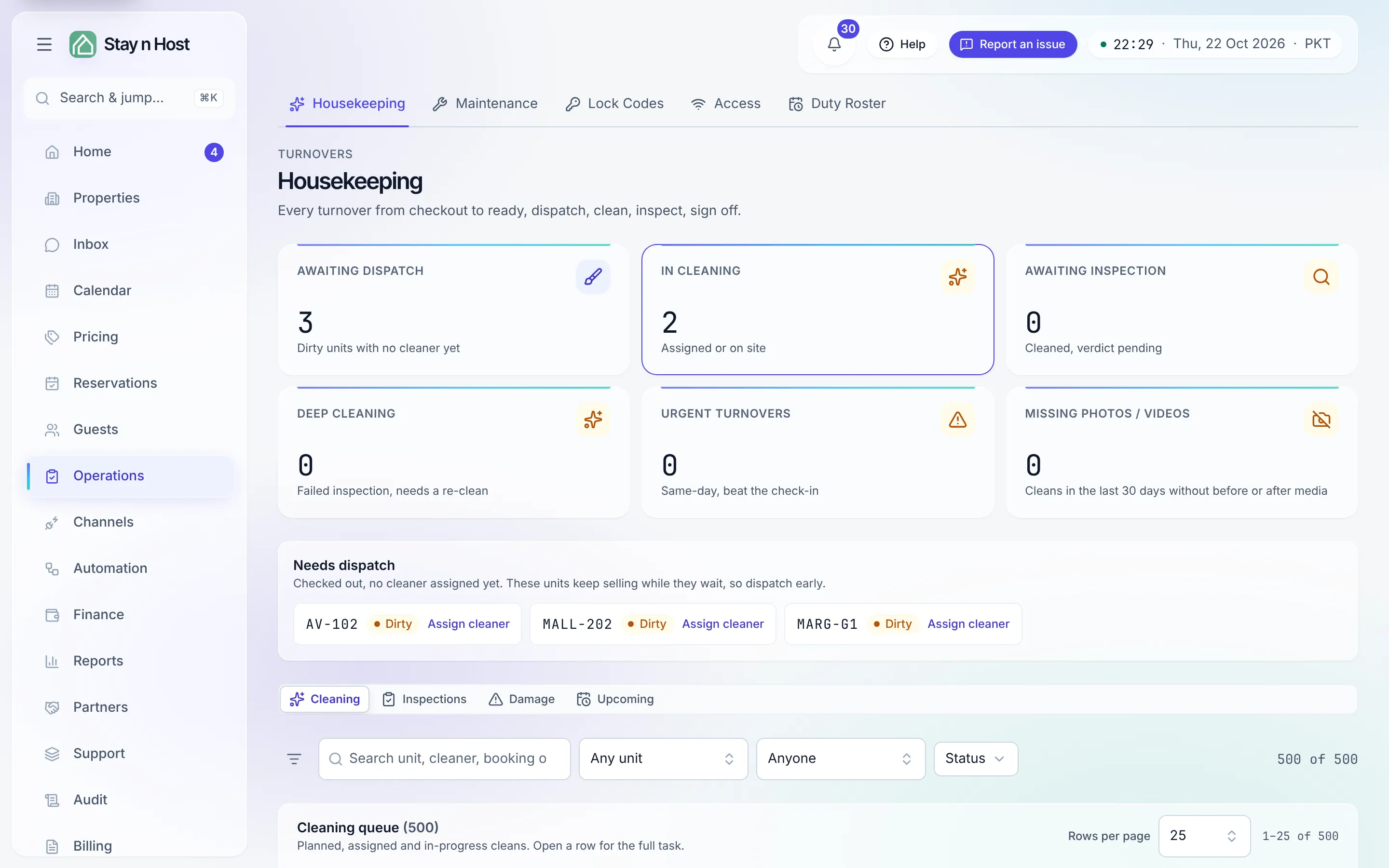
The turnover loop
Section titled “The turnover loop”- A check-out fires a turnover onto the Cleaning tab - the turnover board.
- A coordinator dispatches it to a cleaner (the picker lists your cleaner seats).
- The cleaner starts and completes the task - with photos - from their own view, on a phone that keeps working without a signal (the field view).
- An inspector records the verdict: clear, or escalate. A workspace that switches Inspection after cleaning off skips this step: the unit is ready the moment the clean is marked done.
- An escalation opens a damage claim; recovering the cost from the guest happens as a charge.
Cleaners, coordinators, inspectors, and maintenance are task-only seats: the Housekeeping board is their entire app, scoped to their own work. No setup needed beyond inviting them with the right role.
Door codes, the short version
Section titled “Door codes, the short version”A per-stay code reaches a guest only through the dual gate - payment verified and ID verified - checked at the moment of sending, whether a human hands it over or the pre-check-in agent sends it. Every release lands in the Lock Codes ledger. The full story: Door-code operations and Concepts.