
Connect other systems with API keys
An API key lets another system read and change your workspace through the Stay n Host API, the same API the app itself uses. Each key carries only the permissions you tick when you create it, and it can never do more than the person who created it can do today.
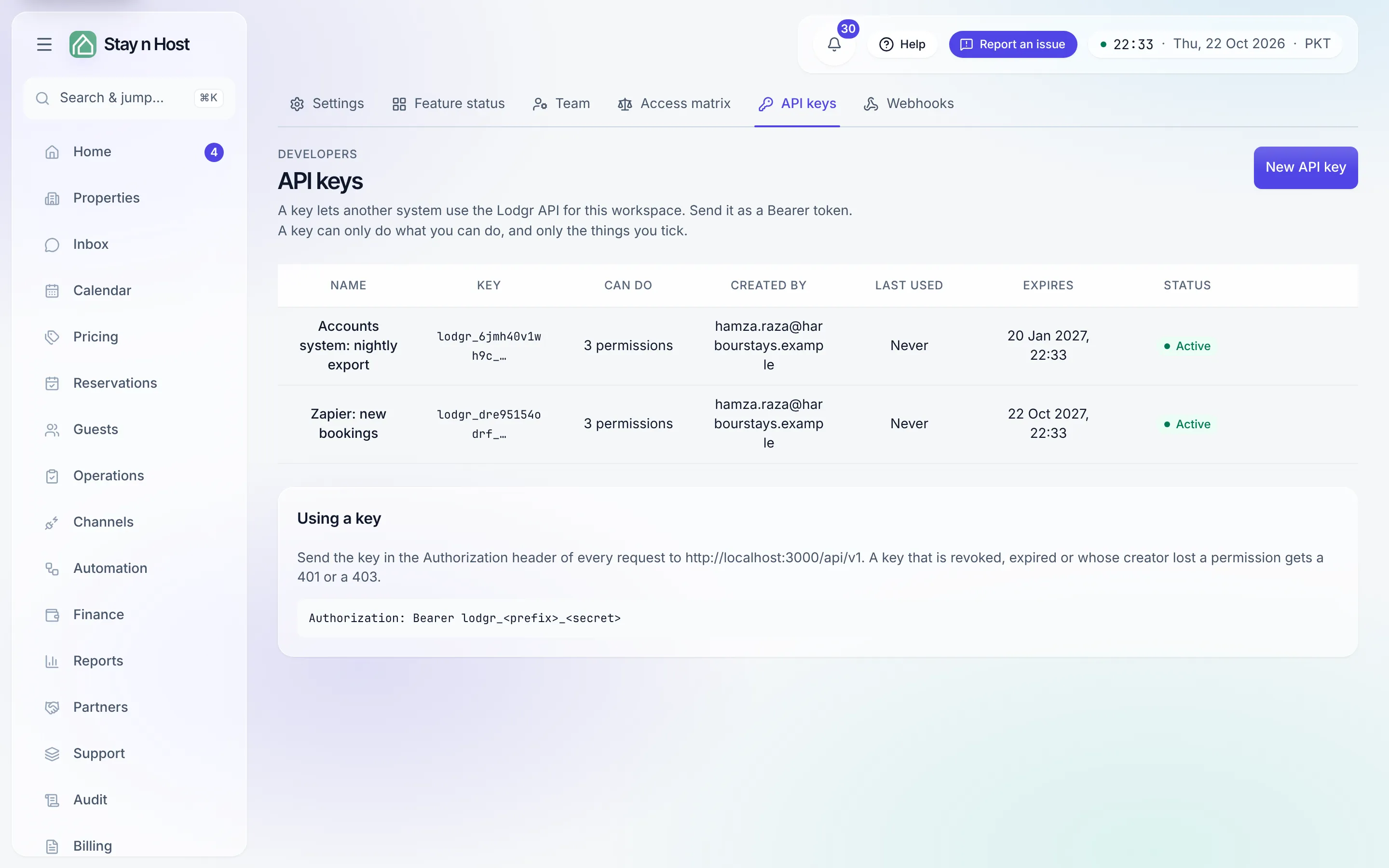
Create a key
Section titled “Create a key”-
Open Setup, then API keys, and click “New API key”.
-
Name it after what will use it, for example “Zapier: new bookings”. The name is how you will recognise it in the list, and in the audit trail of everything it does.
-
Pick when it expires: in 30 days, 90 days, a year, or never. A shorter life is safer; you can always create another key.
-
Tick what it can do. Only the permissions you hold yourself are listed. Tick every “view” permission is a quick start for a key that only reads.
-
Click “Create key”, then copy the key. This is the only time the whole key is shown. Store it in a password manager or in the other system’s settings straight away.
Use a key
Section titled “Use a key”Send the key in the Authorization header of every request to the /api/v1 endpoints of
your Stay n Host address:
Authorization: Bearer lodgr_ab12cd34ef56_…A request with a revoked or expired key, or a key whose creator has left the workspace,
gets 401. A request for something the key was not given gets 403, and so does every
request while the key’s creator has no phone number confirmed by a text-message code
(phone_required): they confirm it by signing in to the app. Keys are limited to
about one request a second, with short bursts allowed.
What a key can never do
Section titled “What a key can never do”- Approve money or release door codes. Verifying a payment, approving a refund and handing a guest a lock code always need a person in the app. Those permissions are not even offered.
- Make more keys or change the team. A leaked key cannot make itself permanent or invite someone.
- Outgrow its creator. Every request re-checks what the creator may do now. If their role loses a permission, the key loses it at the same moment; if their seat is removed, the key stops working. A seat limited to some properties gives keys the same limit.
Revoke a key
Section titled “Revoke a key”Hover the key in the list and click Revoke. Anything using it stops working on its next request. Revoking cannot be undone, so create a new key if you need one.
Every change a key makes is recorded
Section titled “Every change a key makes is recorded”Each write made with a key appears in the audit trail as API key lodgr_…, with the prefix of the key that made it, so you can always tell an integration’s change from a person’s.